Shukran · Hospitality
Turning a tip into a system: guest, staff, and property in one flow.
A digital tipping and guest-engagement platform for hospitality businesses, from QR tipping to staff distribution and reporting.

About Project
Shukran is a digital tipping platform for hospitality businesses. Guests tip staff and properties by QR code or mobile money, in any currency, without carrying cash. Properties receive those tips, distribute them fairly across their teams, and track everything through a dashboard, while the service workers who earned them get a dedicated wallet to spend or save what they've been tipped.
The team
Shukran was built by a small, focused team, each of us owning a distinct piece of the product.
Martin Thuku
Ian Nyongesa
Victor Minjire
Nick Langat
The problem
Hospitality businesses had no easy way to digitize tipping or guest engagement. Guests carried cash, staff had no visibility into what they earned, and properties had no reporting on any of it.
The approach
Designed three connected products, Shukran Tip for tippers, Shukran Tip & Review for properties, and Shukran Pocket for staff, so a single tip flows cleanly from guest to service worker, with distribution, reporting and reviews handled in between.
Three products, one flow
A tip moves through three connected products before it reaches the person it was meant for.
-
01 · TIPPER
Shukran Tip
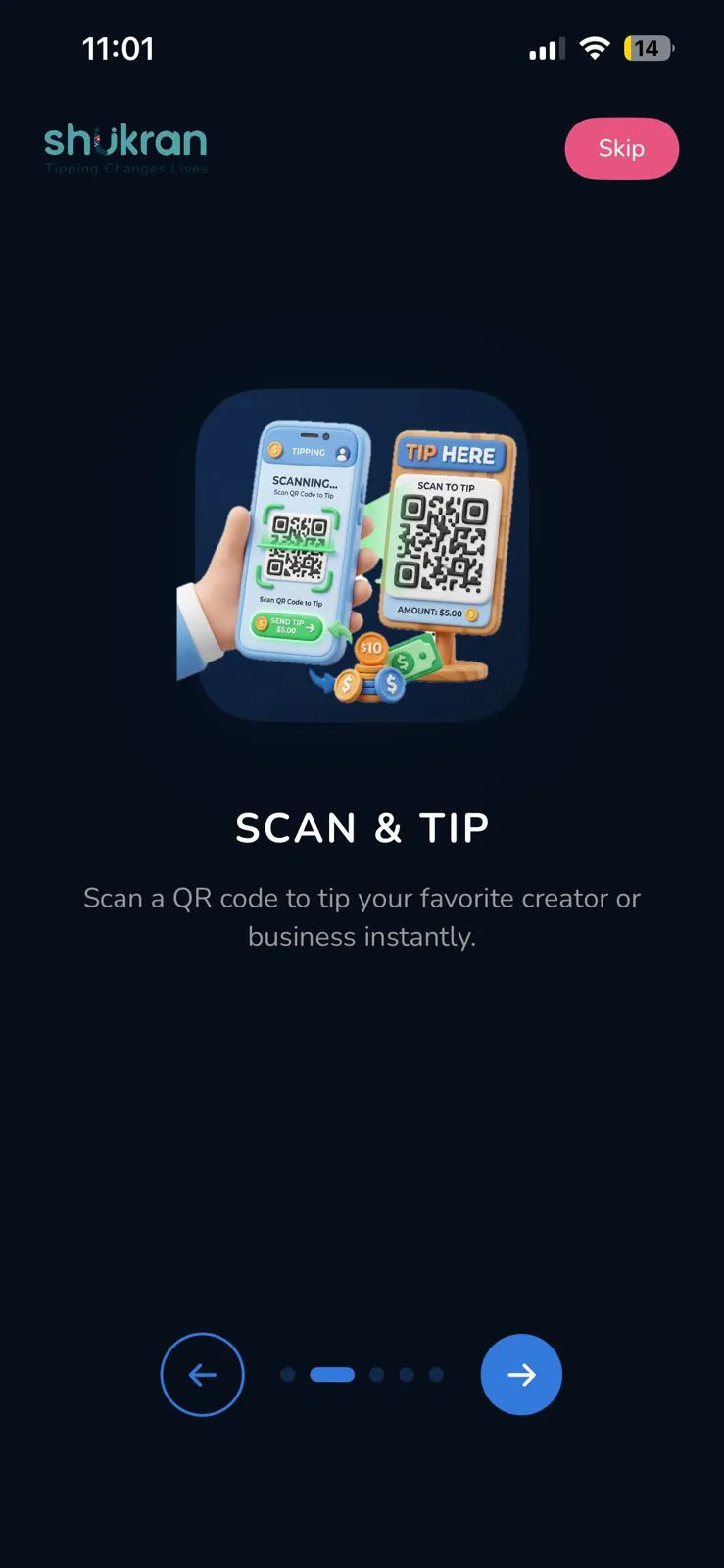
The tipper's app. Load a wallet, scan a service worker's QR code, and tip in seconds, or send straight to mobile money.
-
02 · PROPERTY
Shukran Tip & Review
Where properties onboard, receive incoming tips, distribute them across staff members, and collect guest reviews.
-
03 · STAFF
Shukran Pocket
Where service workers receive tips once distributed by their property, their personal record of what they've earned.
Every tip starts here, a guest opens Shukran Tip, the app that sends money into the system.
Product 01 · Tip App
Shukran Tip App
Live on iOS and Android, the tipper-facing app that started it all.
1,000+
Downloads
135+
Countries tipping from
135+
Currencies supported
FLOW 01Get started, onboarding, top-up & sign in
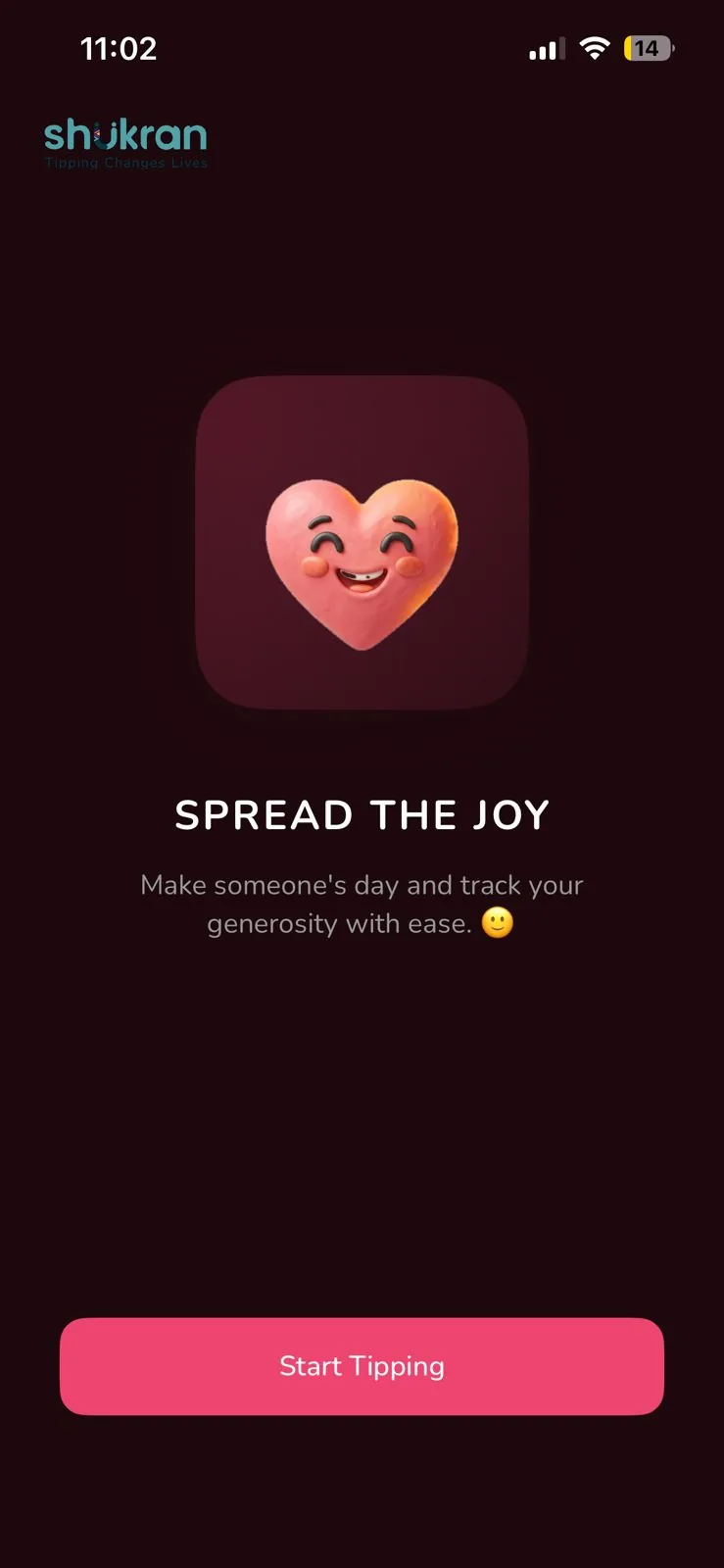
Step 1 of 3, Onboarding carousel
Hello
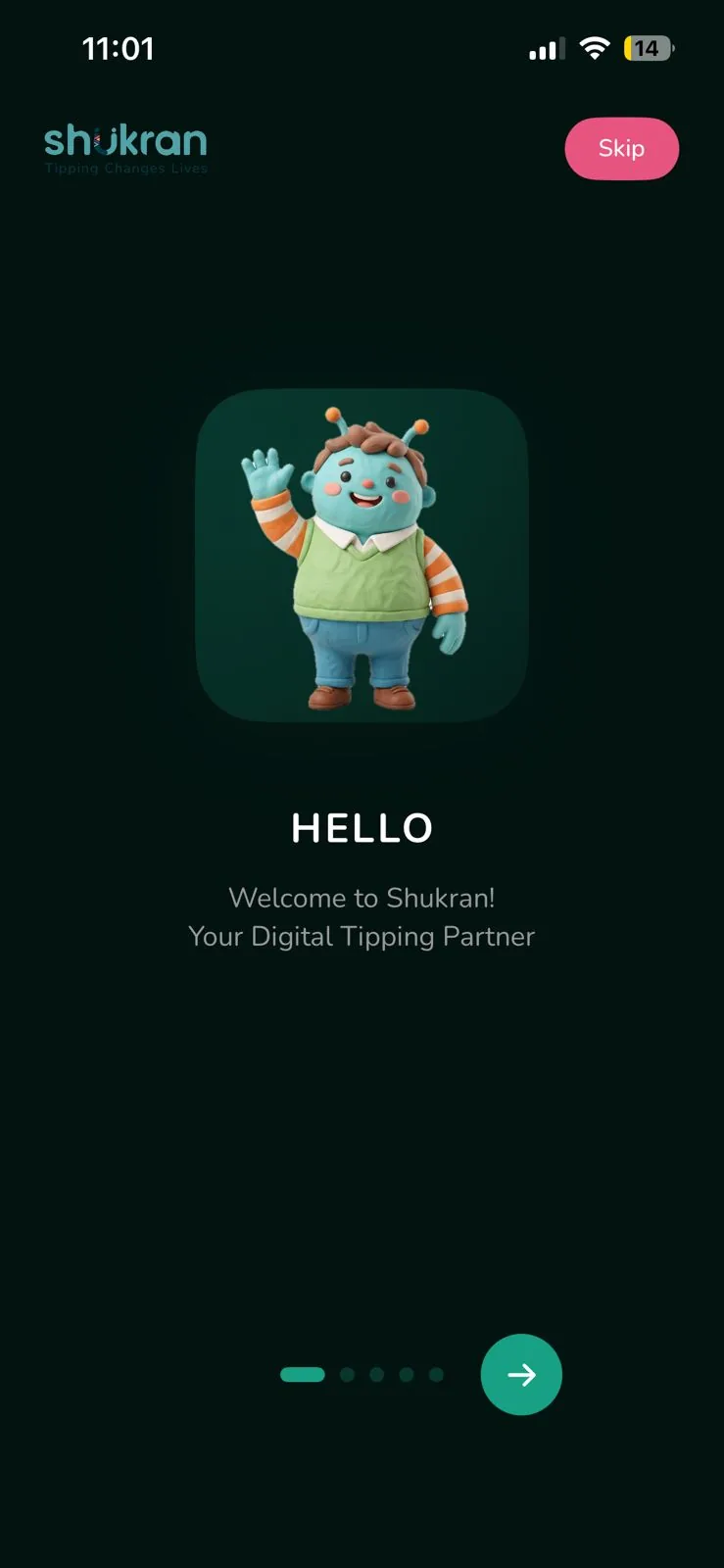
Scan & Tip
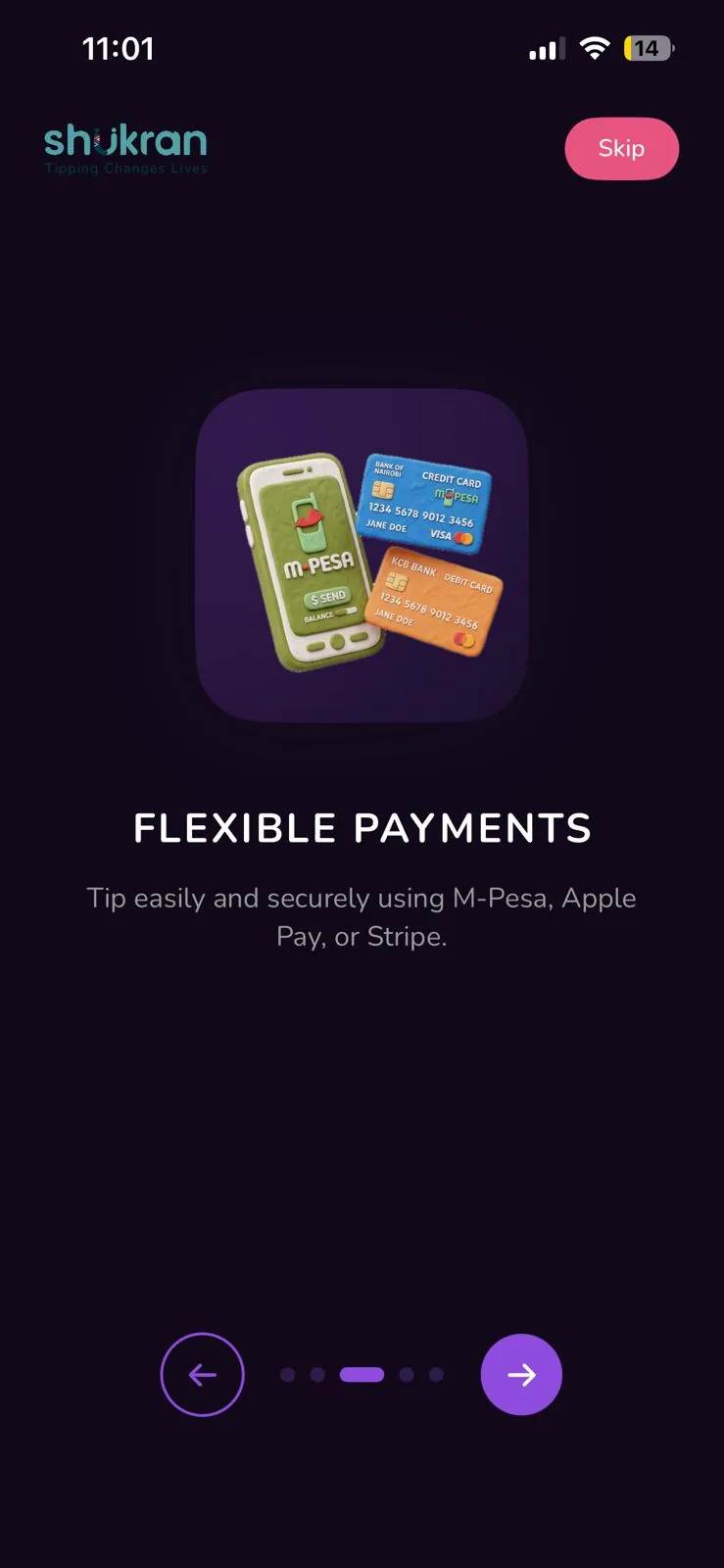
Flexible Payments
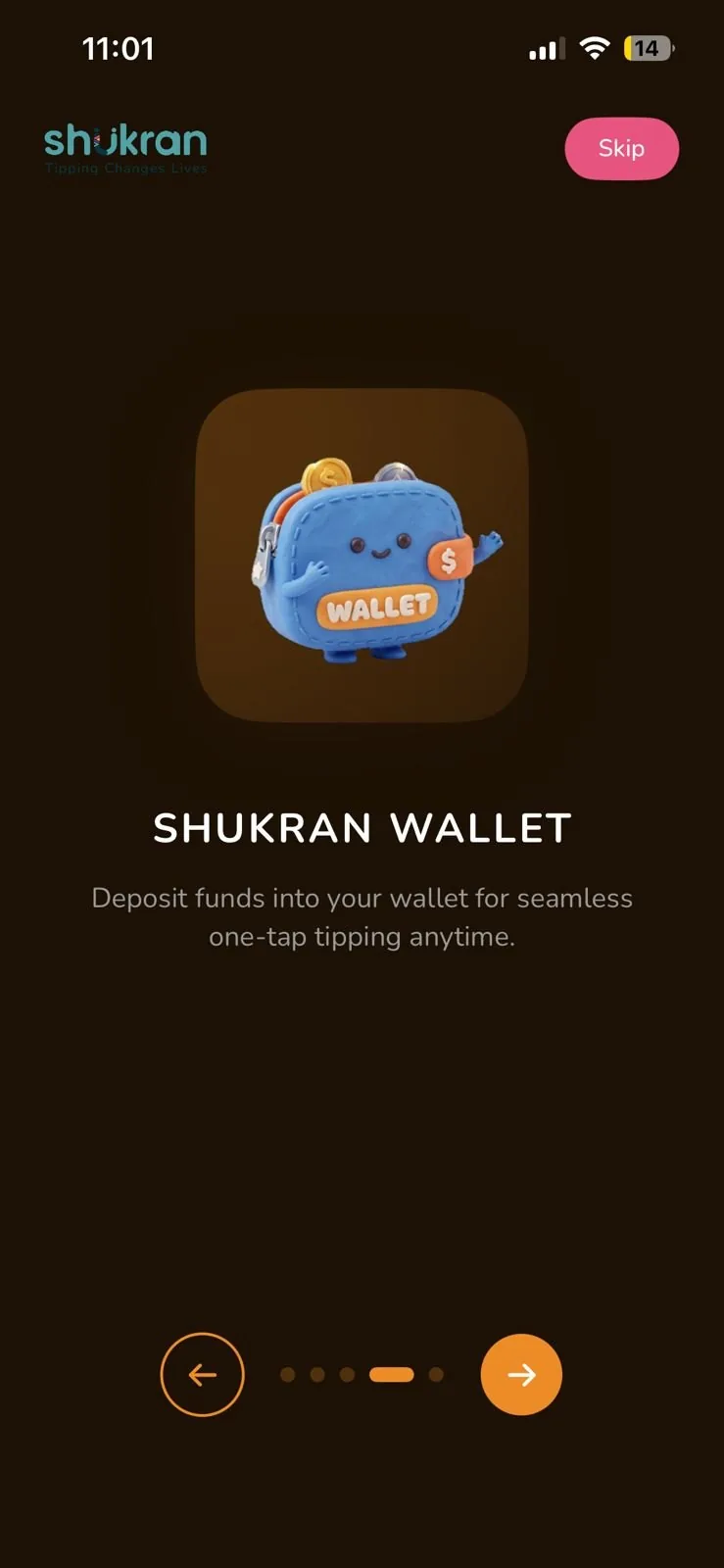
Shukran Wallet
Spread the Joy
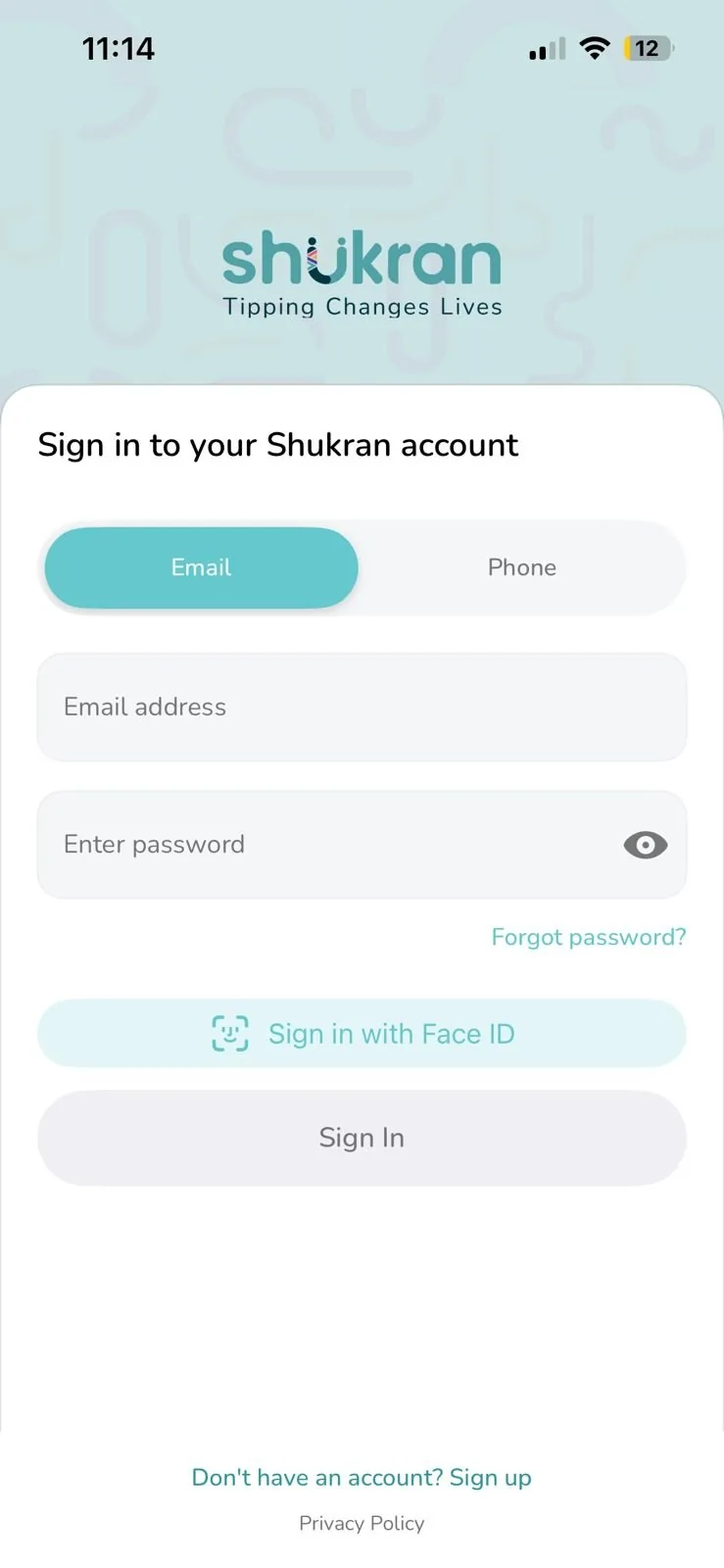
Steps 2–4, Sign in, dashboard & top up
Sign in to your account
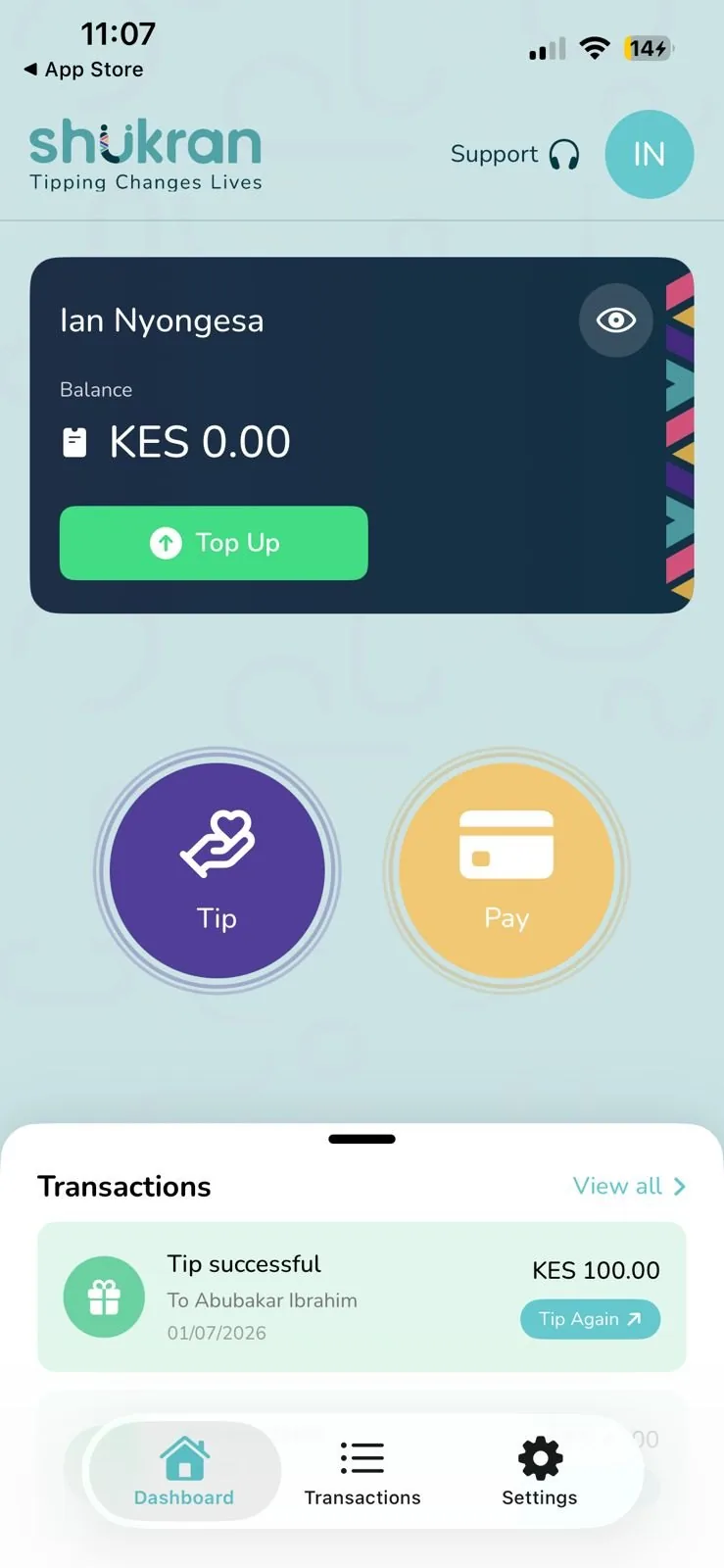
Main dashboard
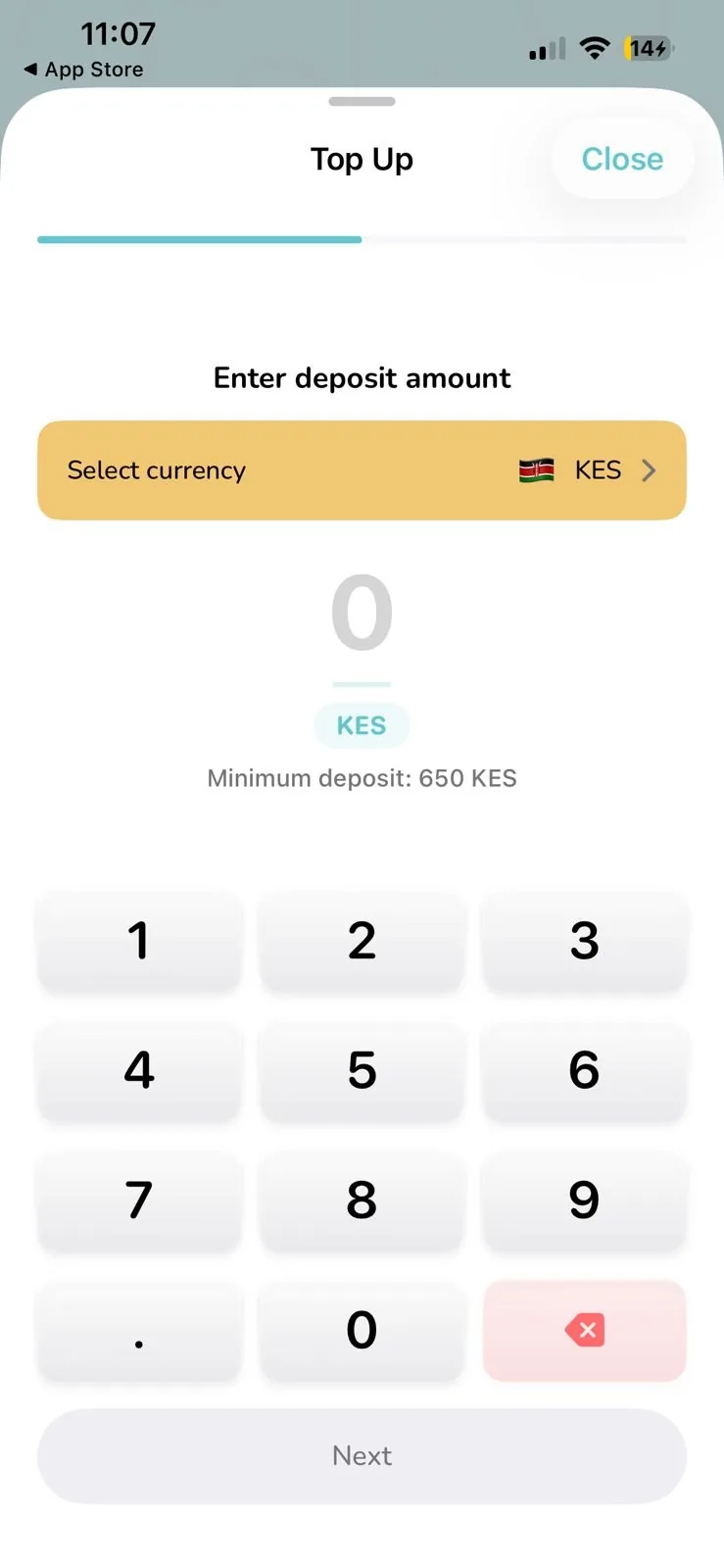
Top up your wallet
FLOW 02Tip an individual, in 135+ currencies
-
1Choose Tip from the dashboard
-
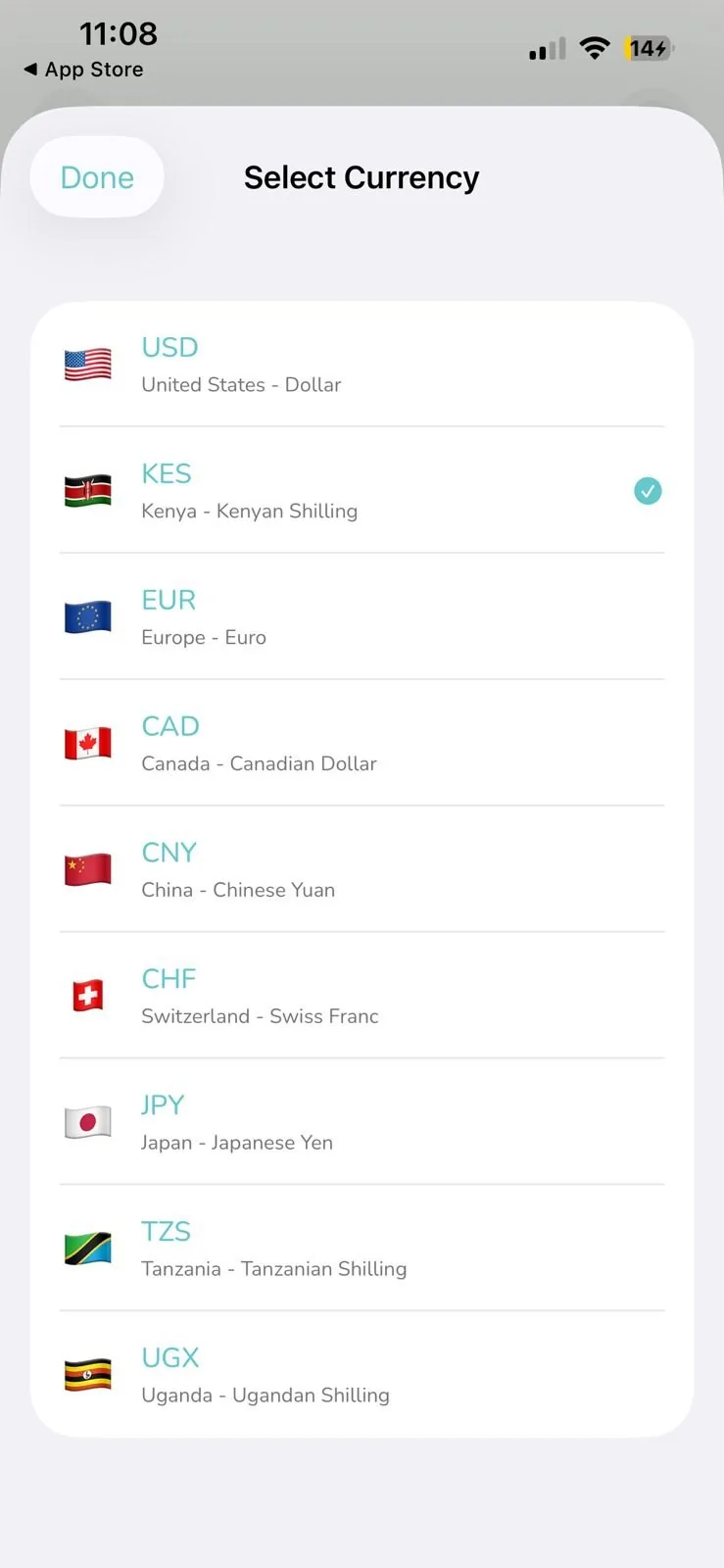
2Pick from 135+ currencies
-
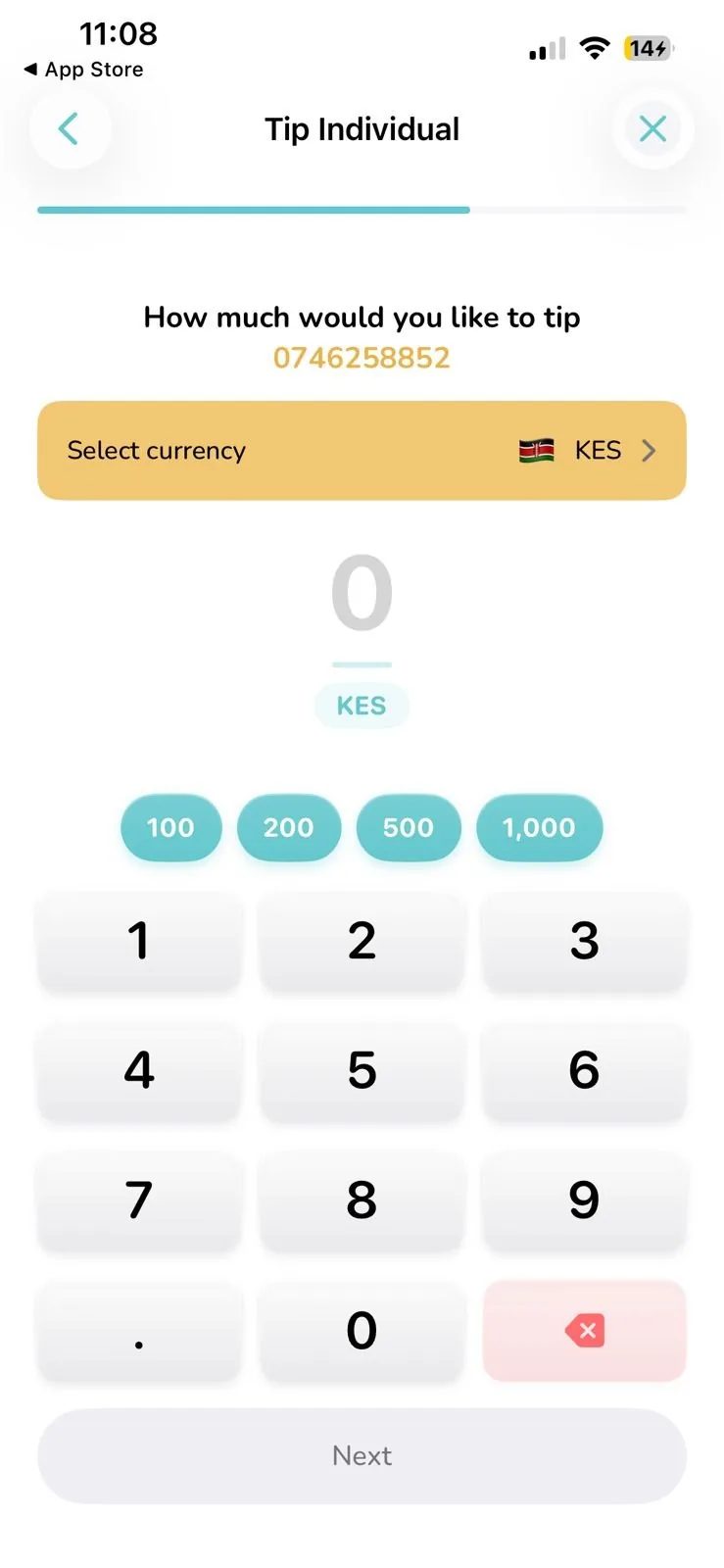
3Enter the tip amount and send
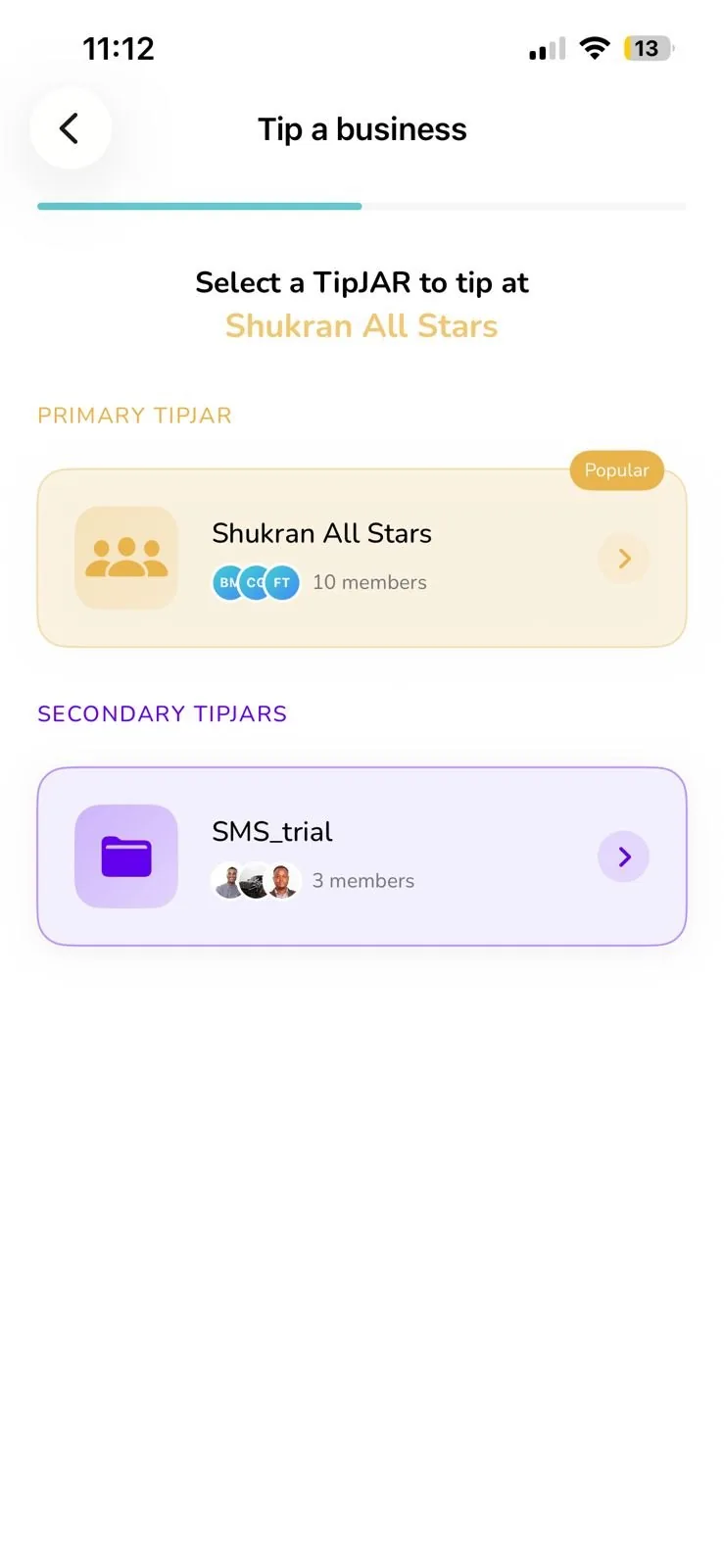
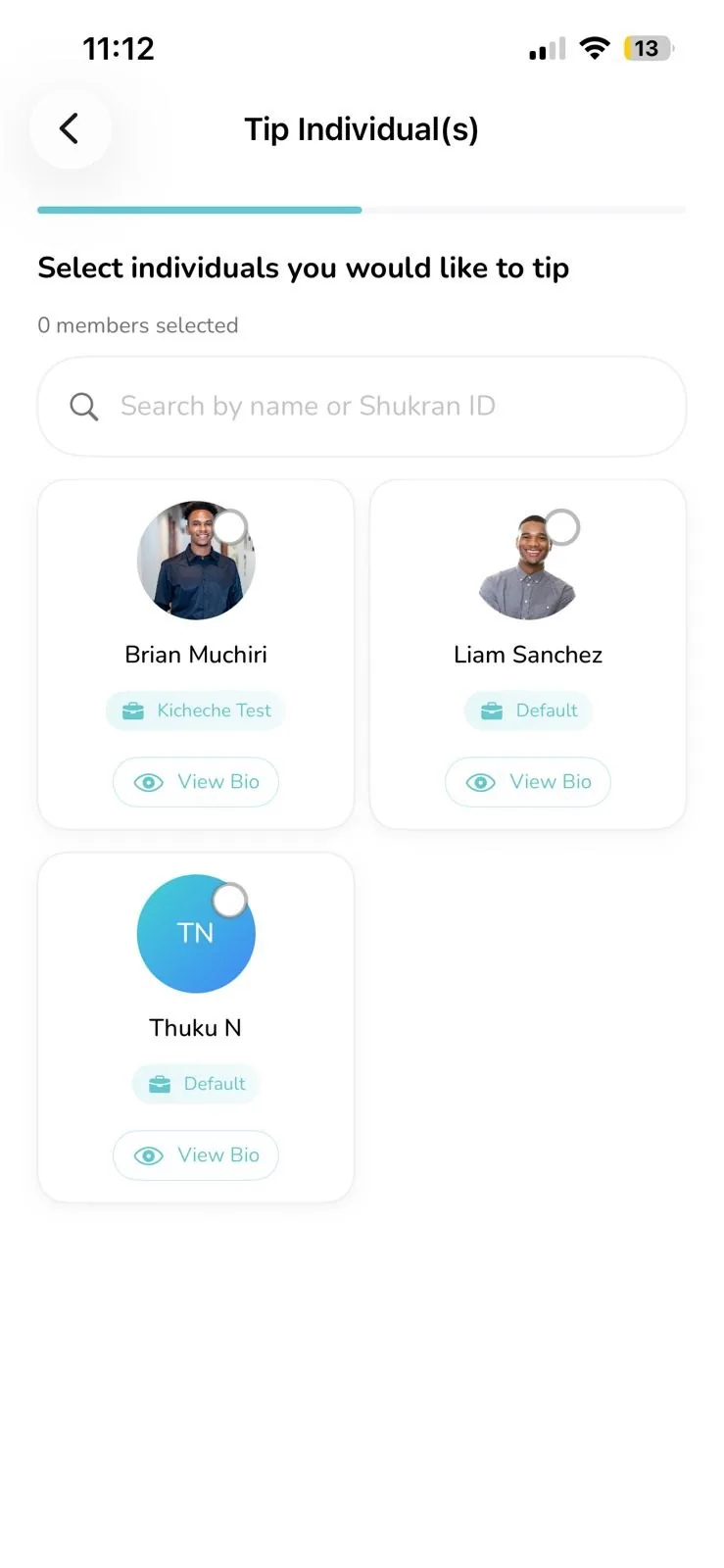
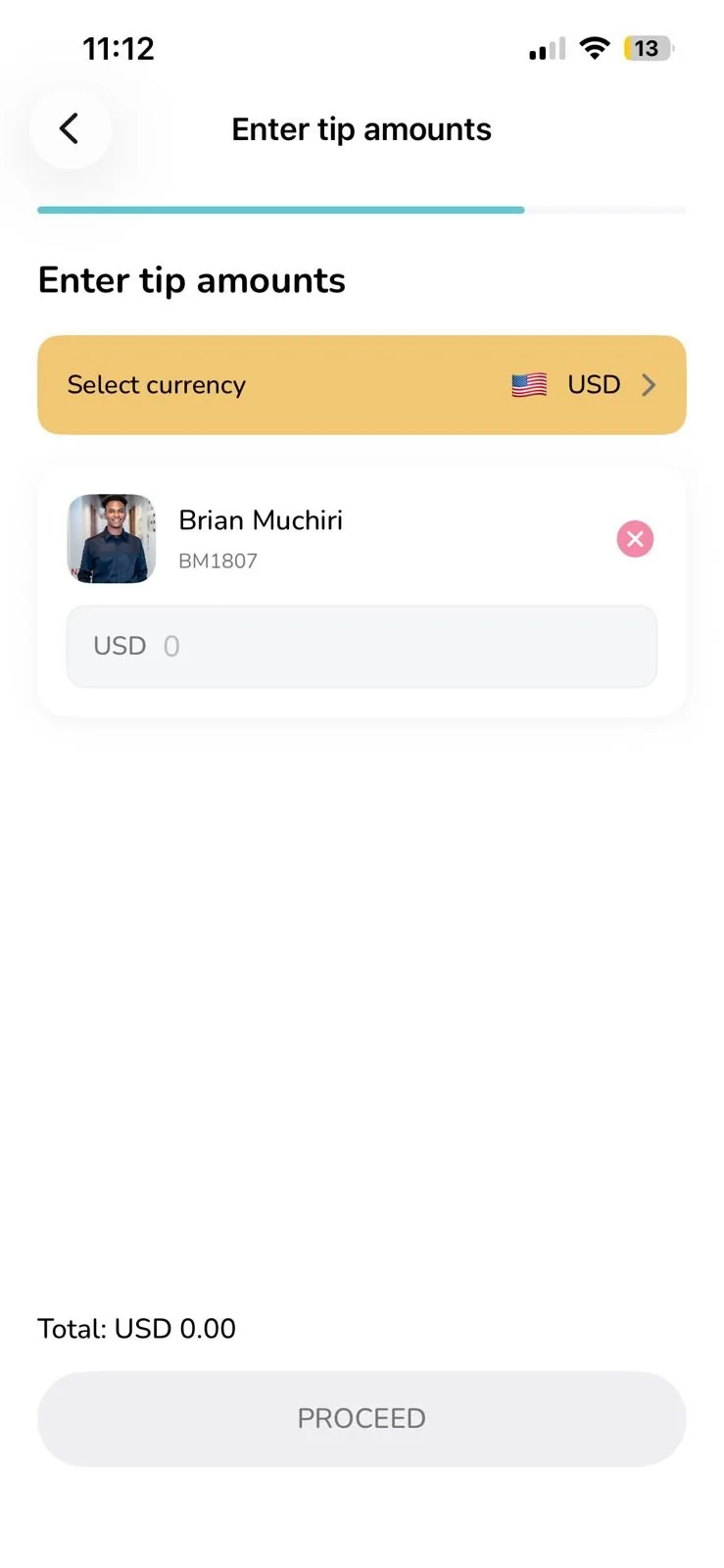
FLOW 03Tip a business, TipJARs split fairly across staff
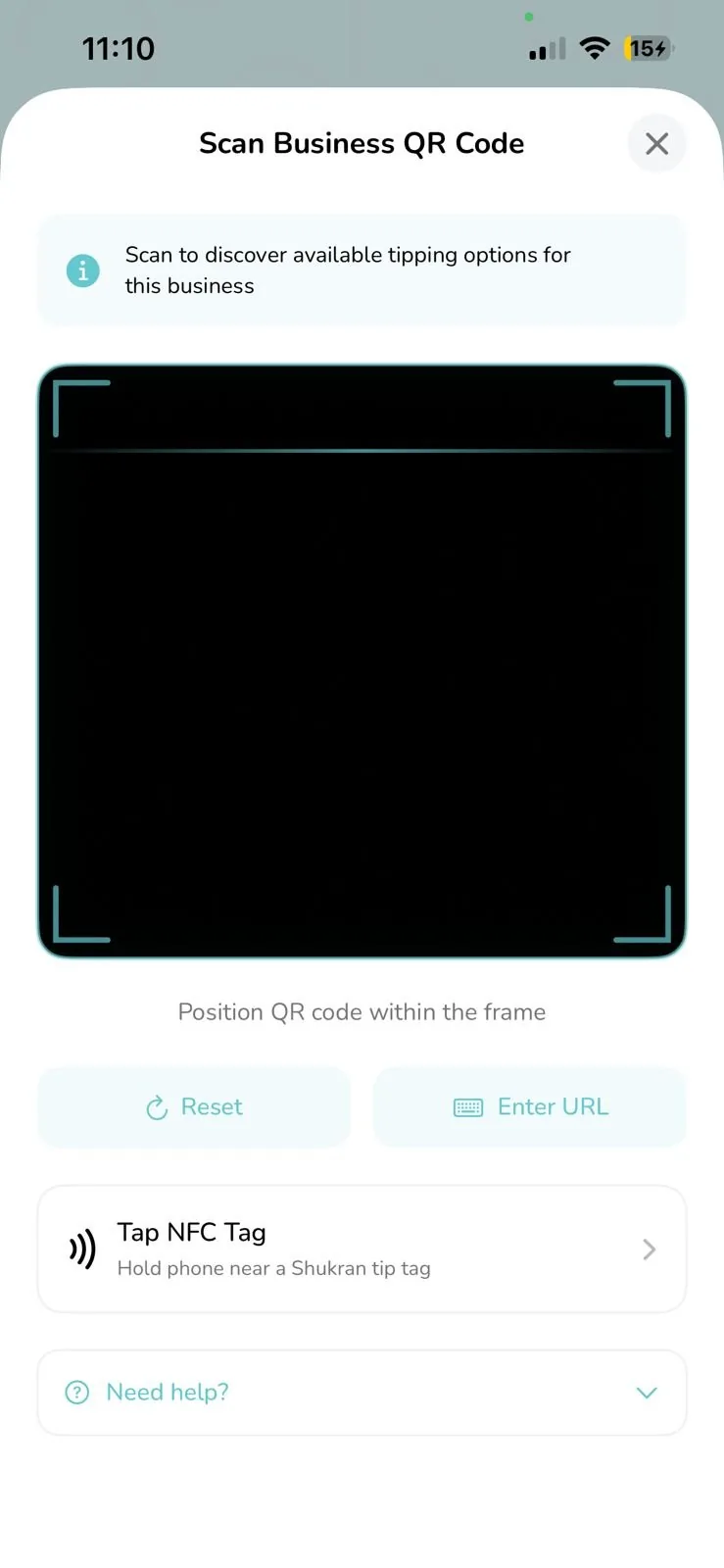
1. Scan a business QR or NFC tag
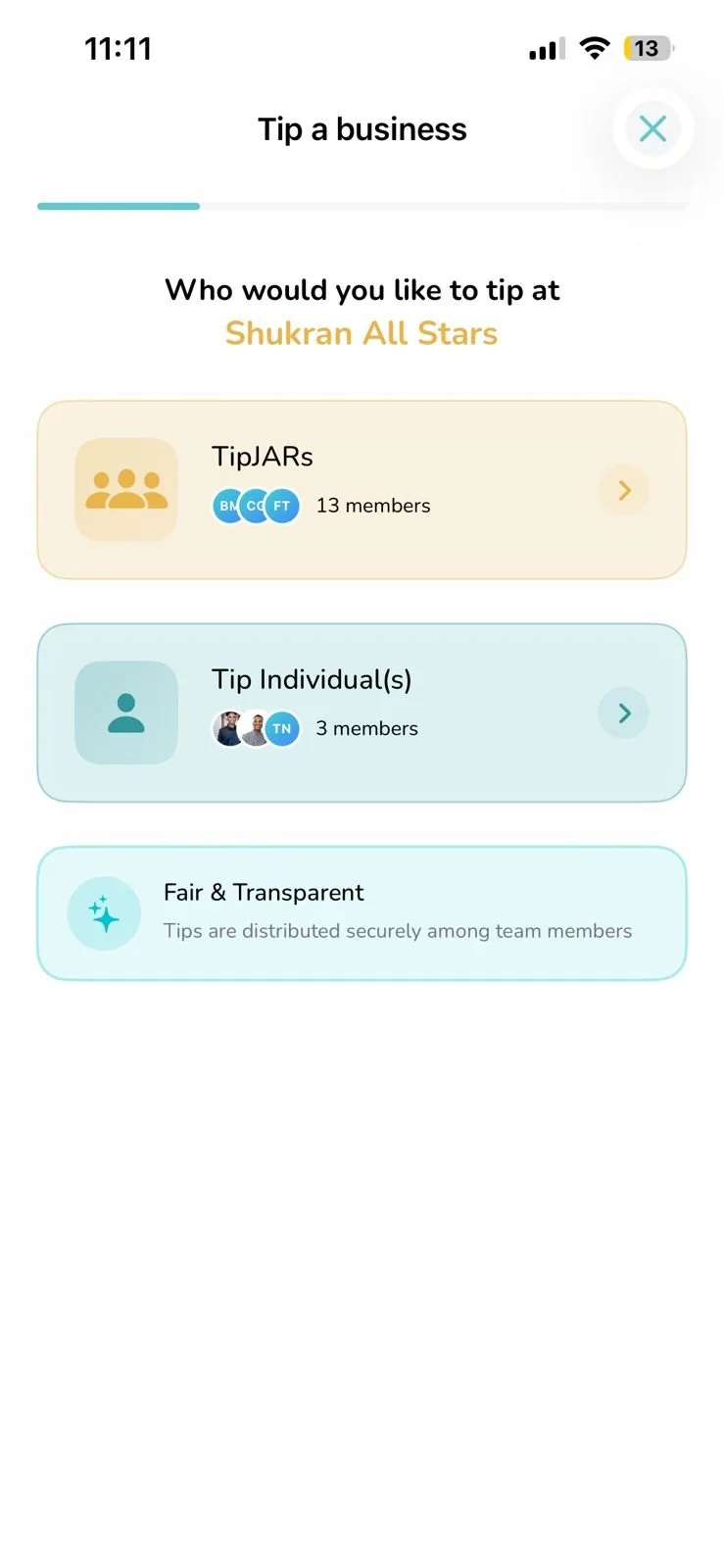
2. Choose a TipJAR or individuals
3. Pick a TipJAR to tip into
4. Or select individuals directly
5. Confirm amounts and proceed
FLOW 04Pay directly, M-Pesa Paybill & Buy Goods
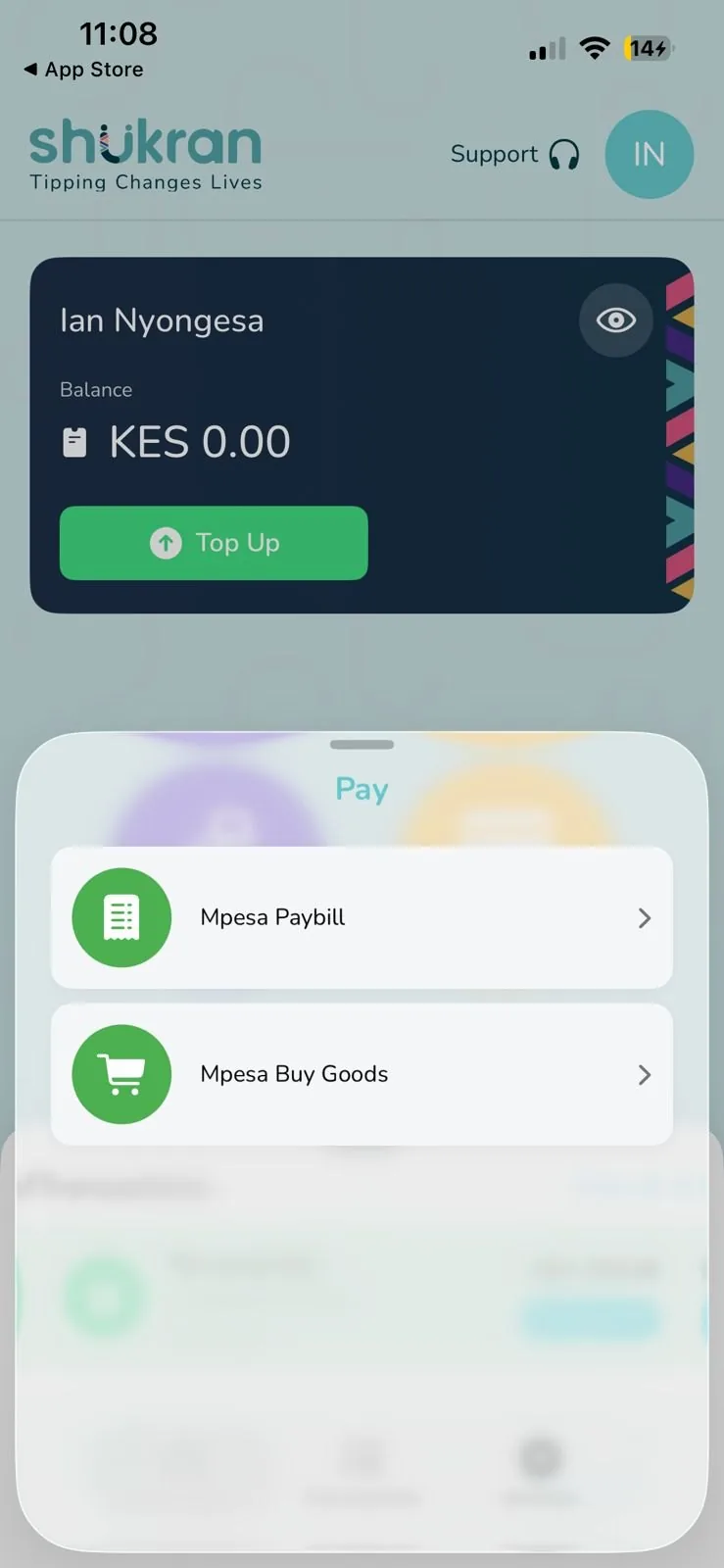
Beyond tipping, pay merchants
The same wallet doubles as a payments tool, Paybill and Buy Goods, for whenever a tip becomes a regular M-Pesa payment.
FLOW 05Track it, transactions & account settings
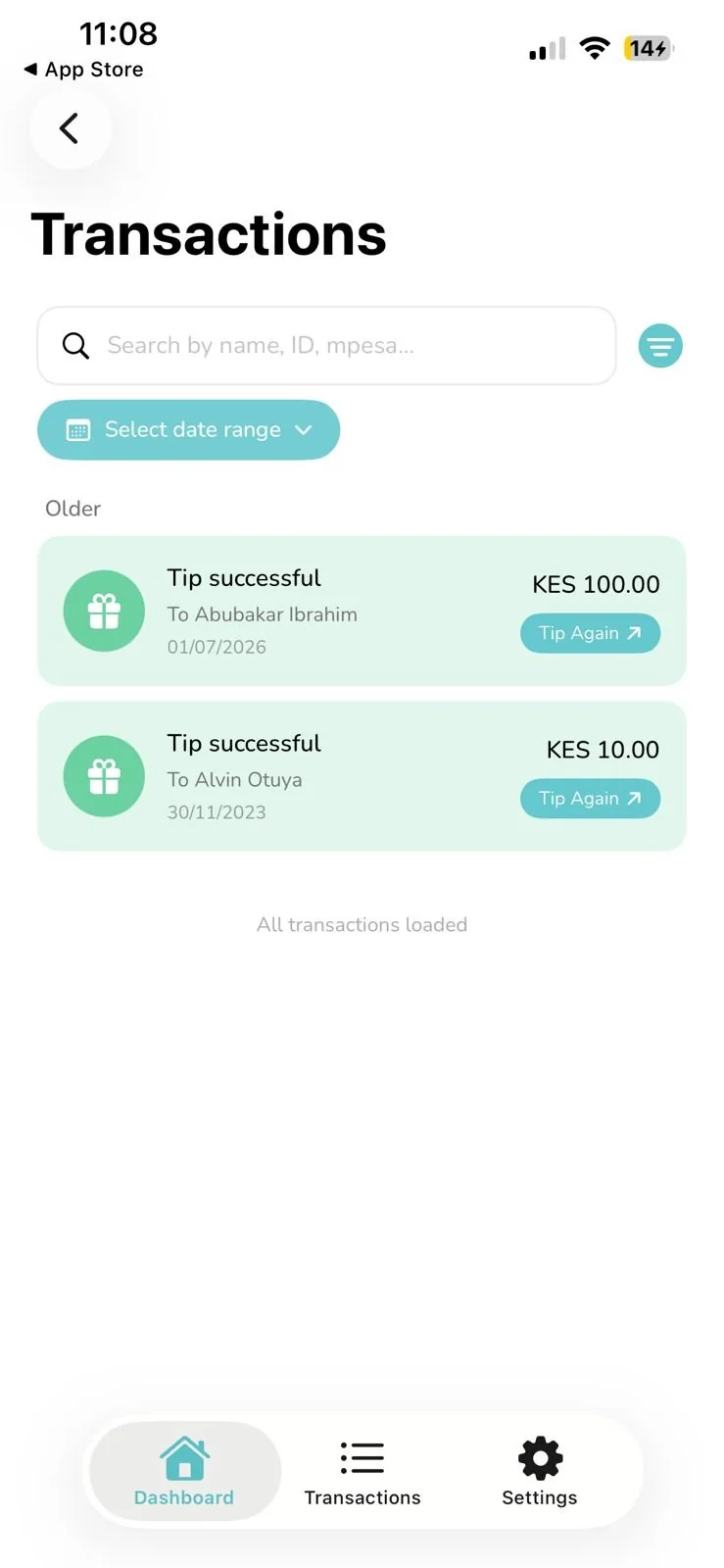
Transaction history
Every tip sent, searchable by name, ID or mobile money reference, with one tap to tip again.
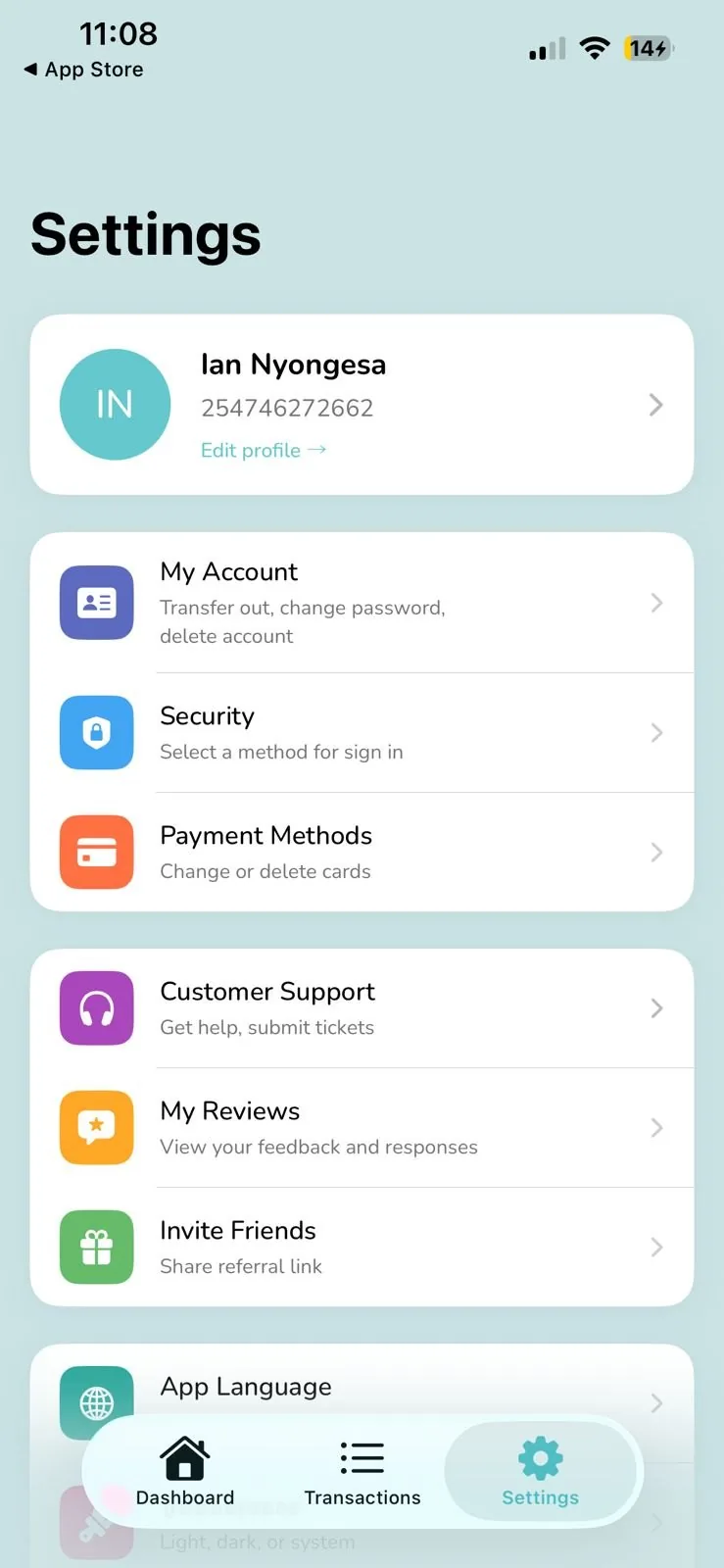
Account & settings
Security, payment methods, reviews and referrals, all managed from one settings hub.
Impact, challenge & success
Impact
1,000+ downloads across 135+ countries tipping in 135+ currencies, with zero cash changing hands.
Challenge
Designing one flow that felt native whether a guest was tipping $2 in Nairobi or £20 in London.
Success
Cut onboarding to five screens that got first-time guests tipping correctly without instructions.
The tip lands at the property. Shukran Tip & Review is where it's received, split across the team, and turned into a paper trail.
Product 02 · Tip & Review Platform
Shukran Tip & Review Platform
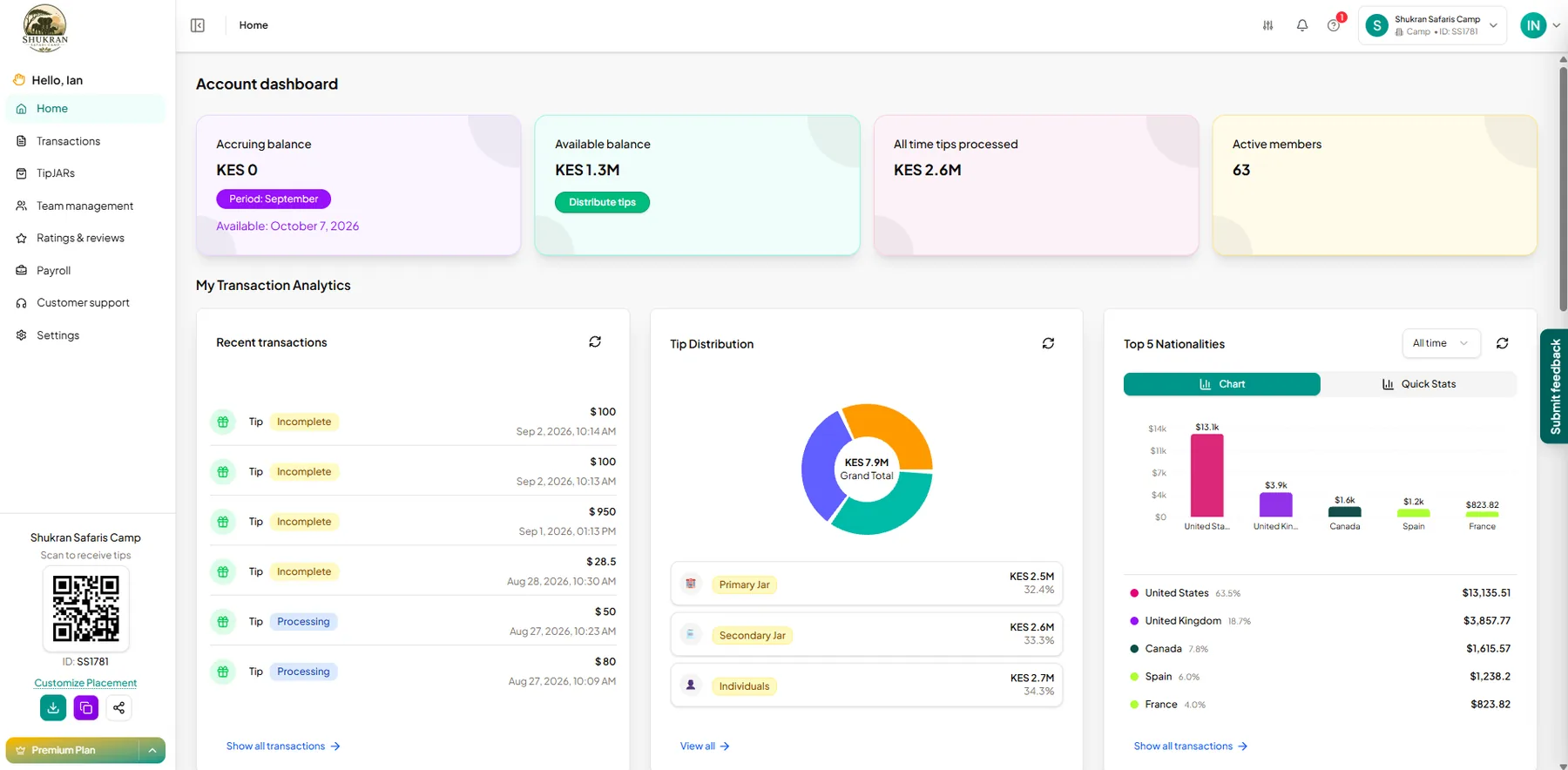
The property admin's dashboard, where tips are collected, distributed to staff, and tracked end to end.
50+
Properties on the platform
4,000+
Service workers served
$1M+
Distributed in tips
Account dashboard & tip distribution
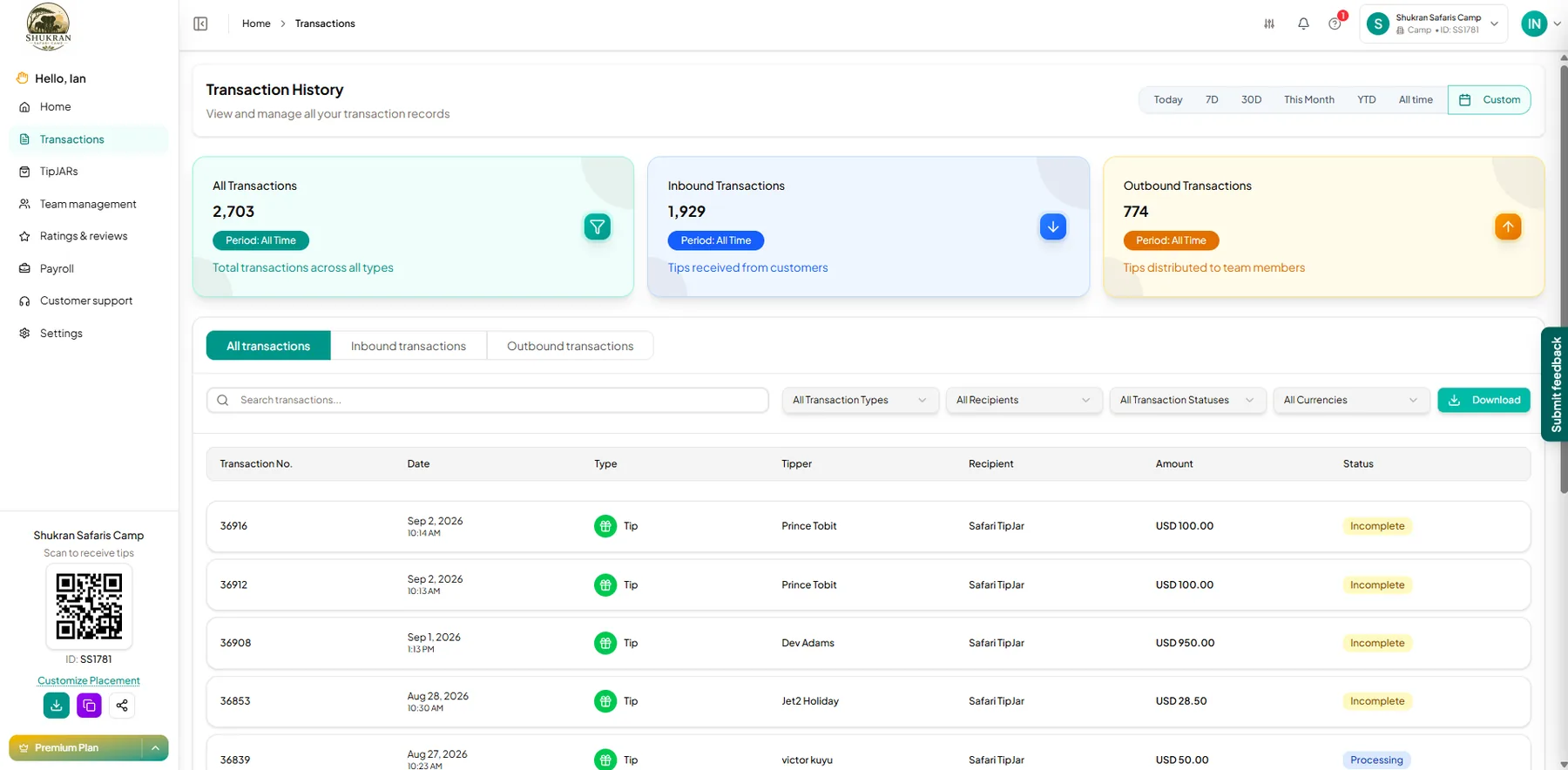
Transaction history, team & support
Transaction history, inbound & outbound
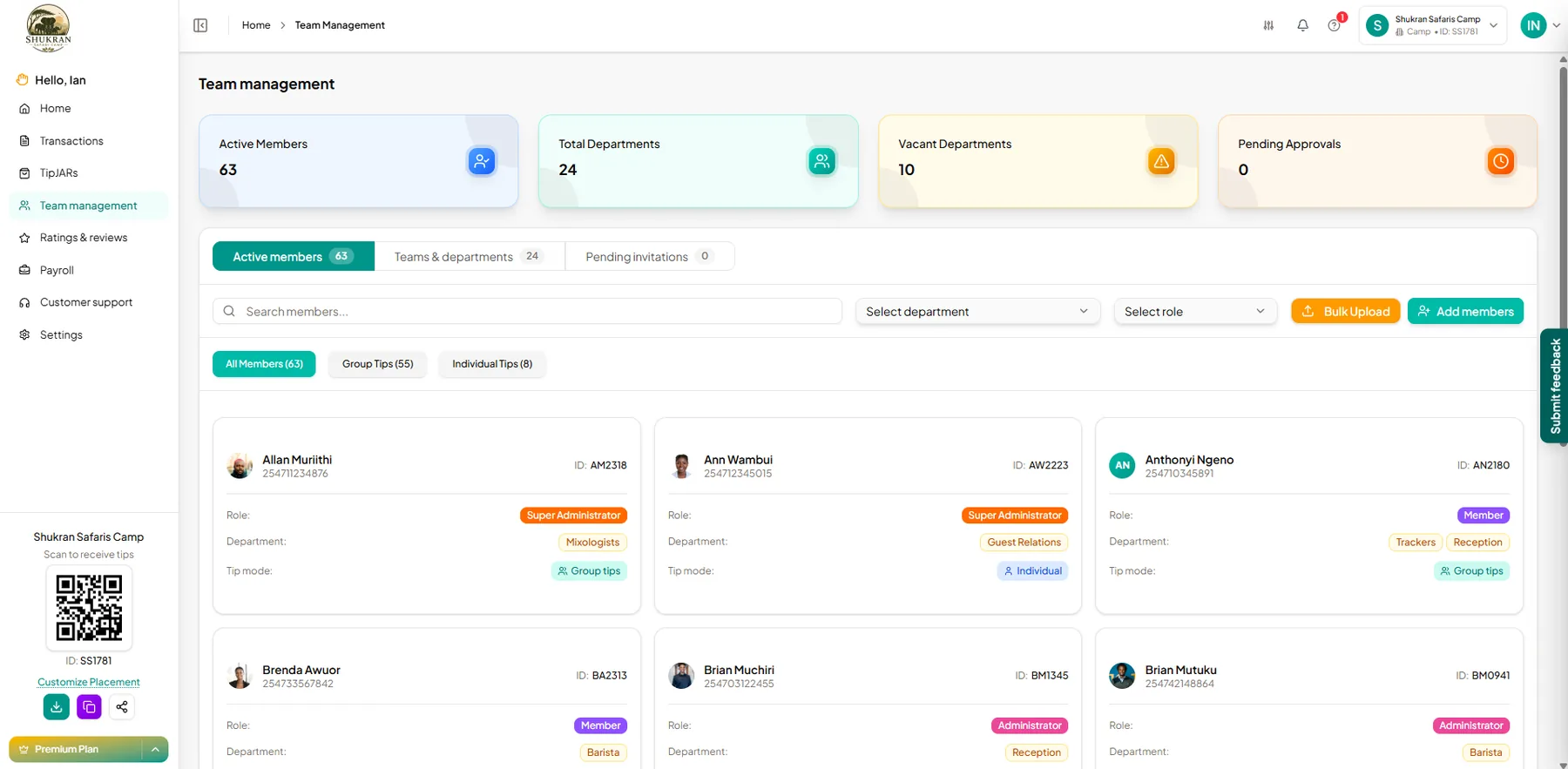
Team management, roles, departments & tip mode
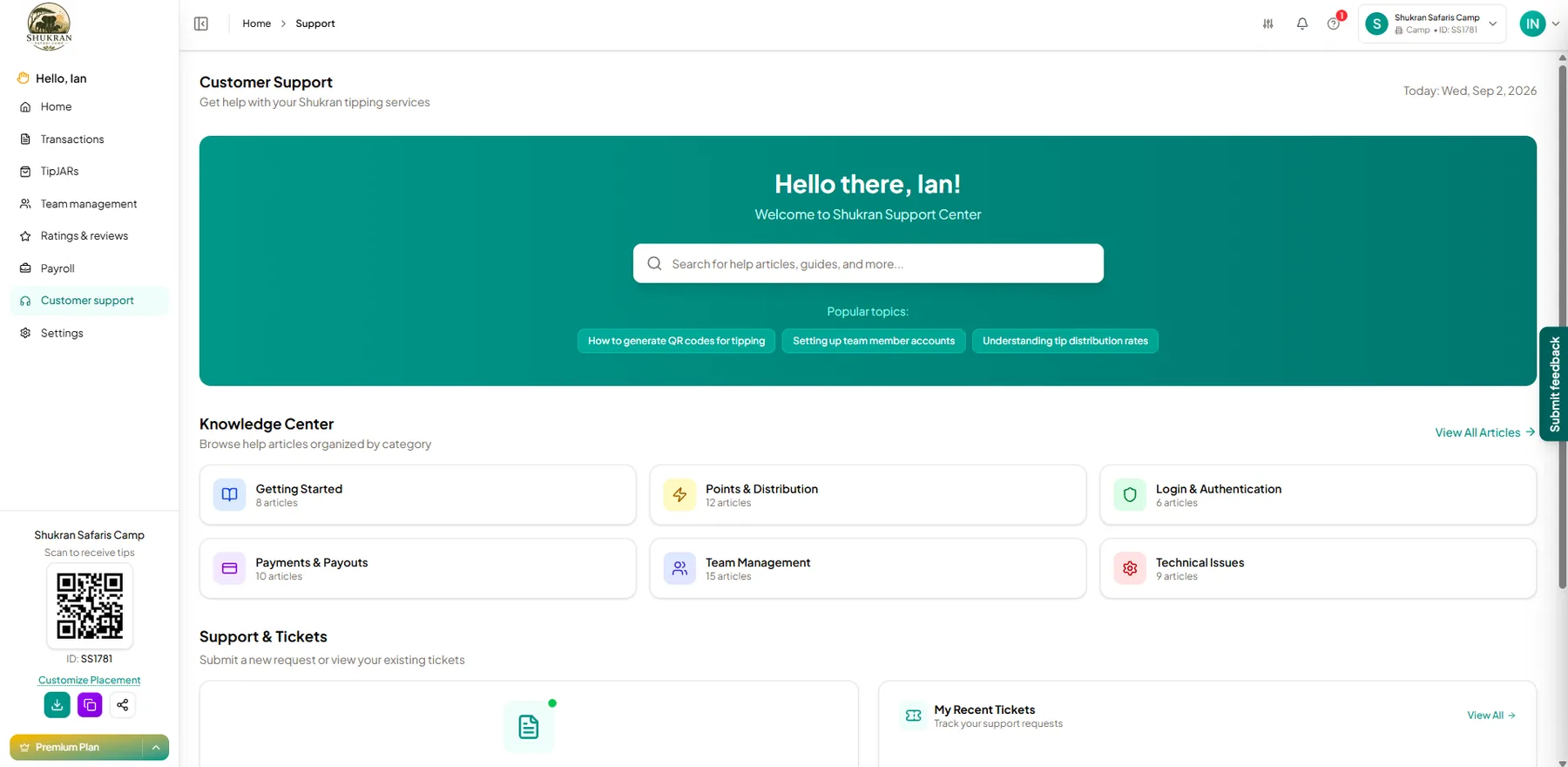
Customer support & knowledge center
Impact, challenge & success
Impact
50+ properties now use the platform to distribute over $1M in tips to 4,000+ service workers.
Challenge
Earning admin trust with a dashboard handling other people's money, across teams of varying size and structure.
Success
A distribution and reporting flow transparent enough that properties self-serve without support tickets.
Once distributed, the tip finally reaches the person who earned it. Shukran Pocket is their wallet for it.
Product 03 · Pocket
Shukran Pocket
Where service workers land once a tip is distributed to them, free to spend it right away, or set a goal and save it.
4,000+
Service workers
5,000+
Downloads
$1M+
Transacted
FLOW 01A tip lands, sign in to a balance ready to move
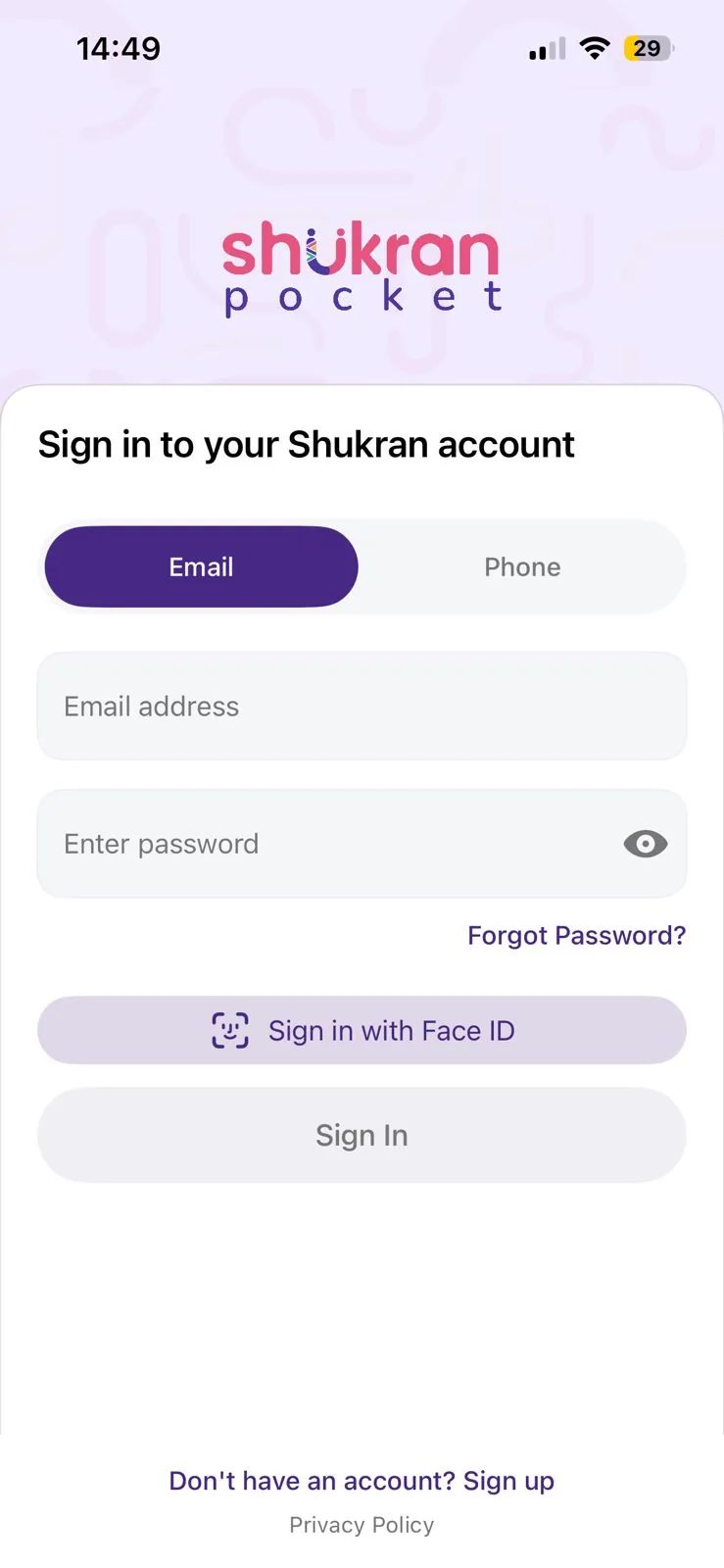
1. Sign in to your account
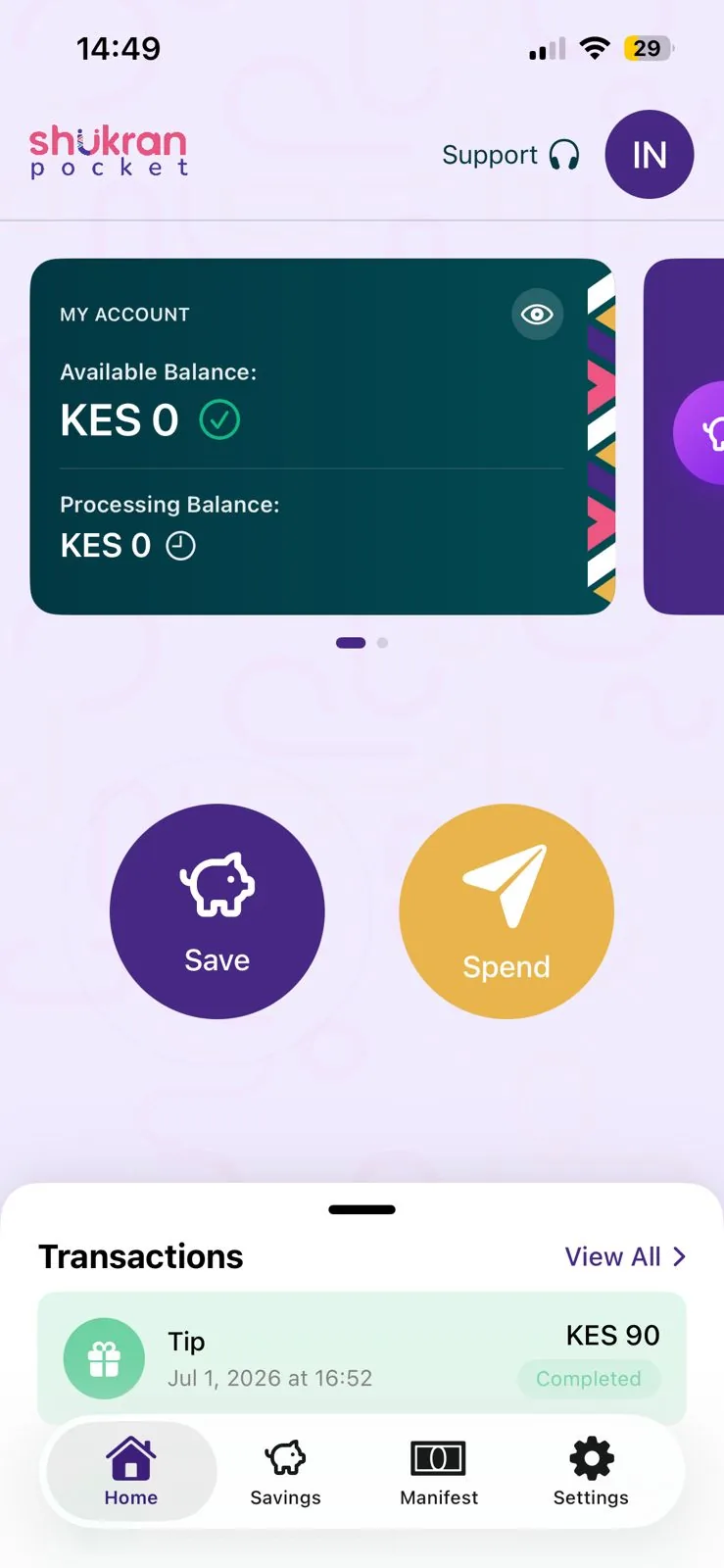
2. Land on Home, available balance, then Save or Spend
FLOW 02Spend it, straight to mobile money, bank, or another member
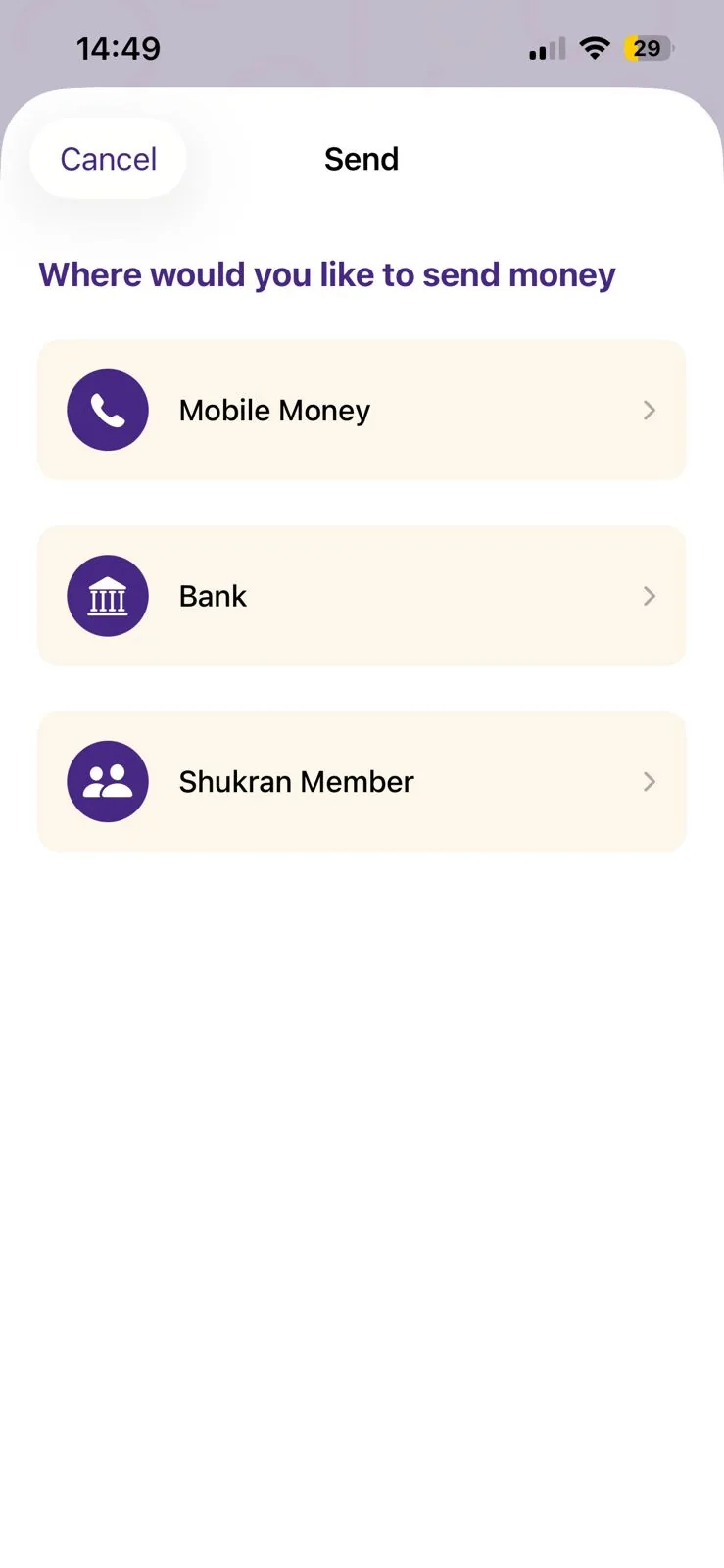
Three ways to send
Tap Spend and choose Mobile Money for an instant cash-out, Bank for a direct transfer, or send peer-to-peer to another Shukran Member.
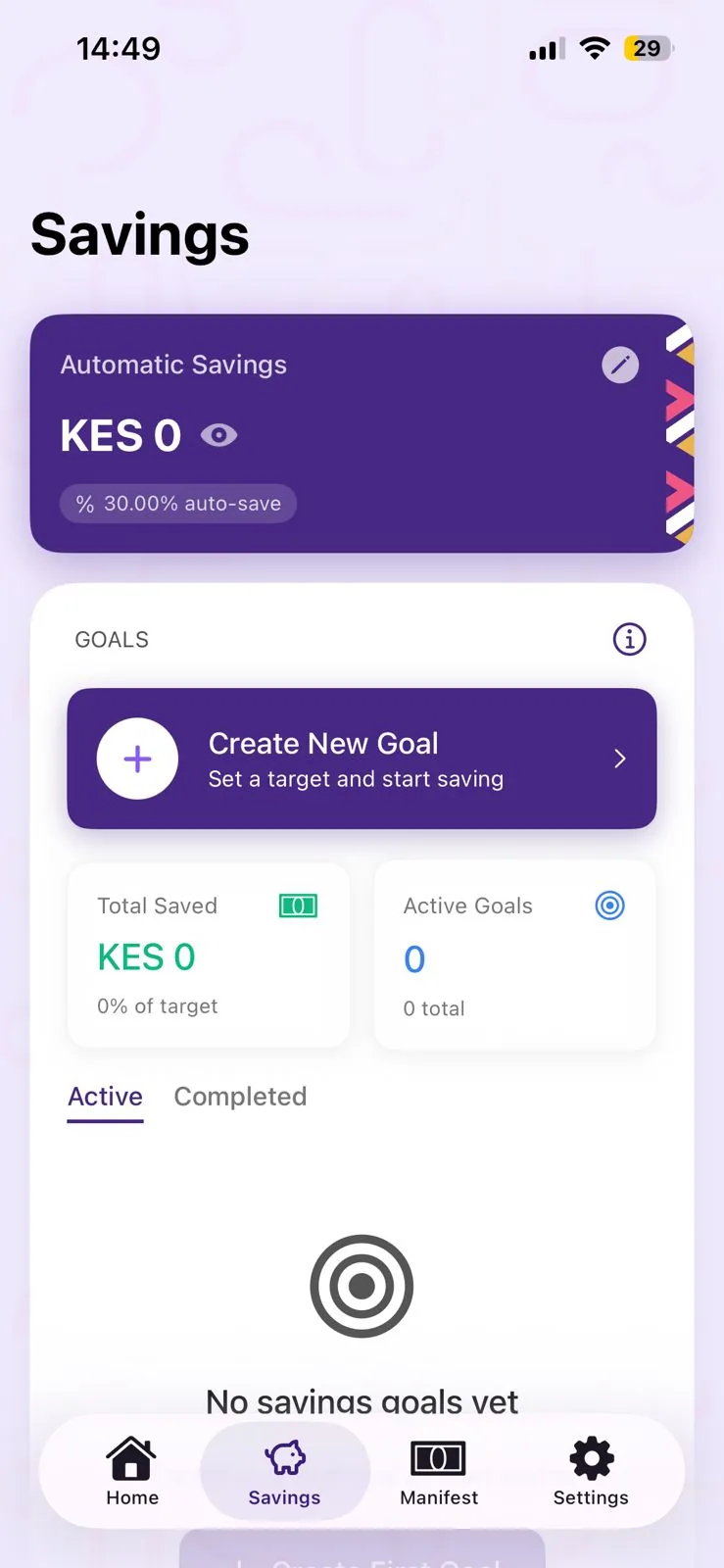
FLOW 03Save it, auto-save and goal-based savings
130% of every tip is auto-saved, track goals and total saved
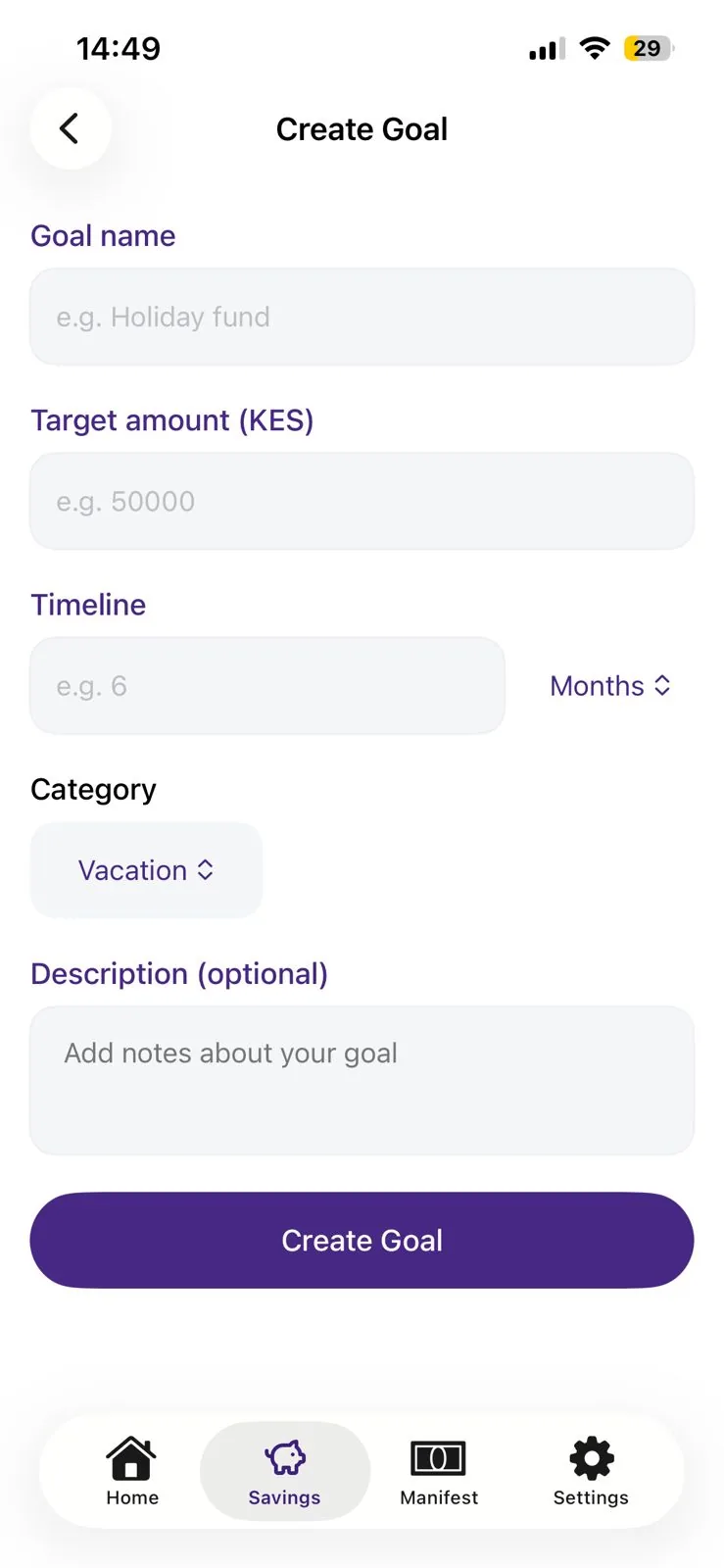
2Create a goal, name, target amount, timeline and category
FLOW 04Manage the account
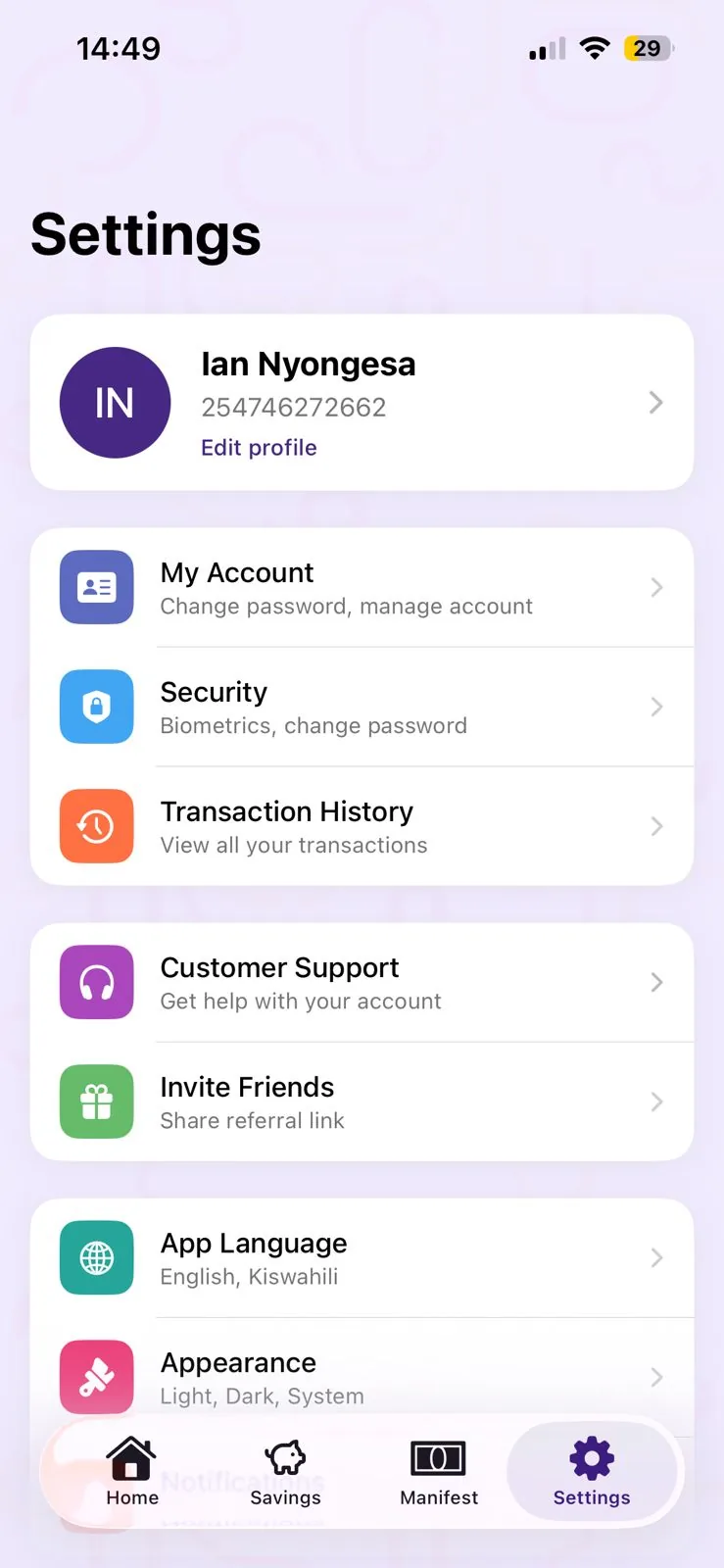
Everything in one settings hub
Profile, security, transaction history, support, referrals, language and appearance, all one tap away.
Impact, challenge & success
Impact
5,000+ downloads and over $1M transacted by 4,000+ service workers who now have a home for their tips.
Challenge
Designing for workers who'd never used a savings app before, many receiving irregular income for the first time in a digital wallet.
Success
Goal-based savings gave tips a purpose, turning a spend-it-all instinct into a habit of saving toward something.
My contribution
Led design and design strategy across all three Shukran products as the sole product designer, working alongside product, front-end and backend engineering leads.
- Product architecture: Defined how the Tip App, Tip & Review platform and Pocket App connect as one system, and the data that flows between them.
- End-to-end UX: Designed onboarding, sign in, wallet top up, multi-currency tipping, QR/NFC scan-and-pay, and transaction history for the Tip App.
- Dashboard design: Designed the property-facing platform for onboarding, distributing tips to staff, and collecting reviews.
- Mobile experience: Designed the Pocket App where service workers receive and manage their tips, including savings goals.
- Design system & PRDs: Established shared UI patterns across all three products and wrote product requirement docs alongside prototyping.
Outcome
Turned a single tip into structured data, giving properties visibility into staff performance and guest sentiment, and giving Shukran a multi-product ecosystem rather than a single interface.
- Reach: 1,000+ downloads on the Tip App, with tippers from 135+ countries tipping in 135+ currencies.
- Adoption: Shukran Pocket has onboarded 4,000+ service workers, with 5,000+ downloads and over $1M transacted.
- System design: Three products, one coherent design language, working as a connected ecosystem rather than three disconnected apps.
- Challenges: Designing for three very different audiences, global tippers, hospitality admins and service workers, on one shared data model, while keeping each app's UX simple for its own user.