The Bridge Program · EdTech
A career launch program built as a learning platform.
The Bridge is a career-readiness program for young professionals, igniting the minds of future leaders through structured coursework, live sessions, and peer learning circles.
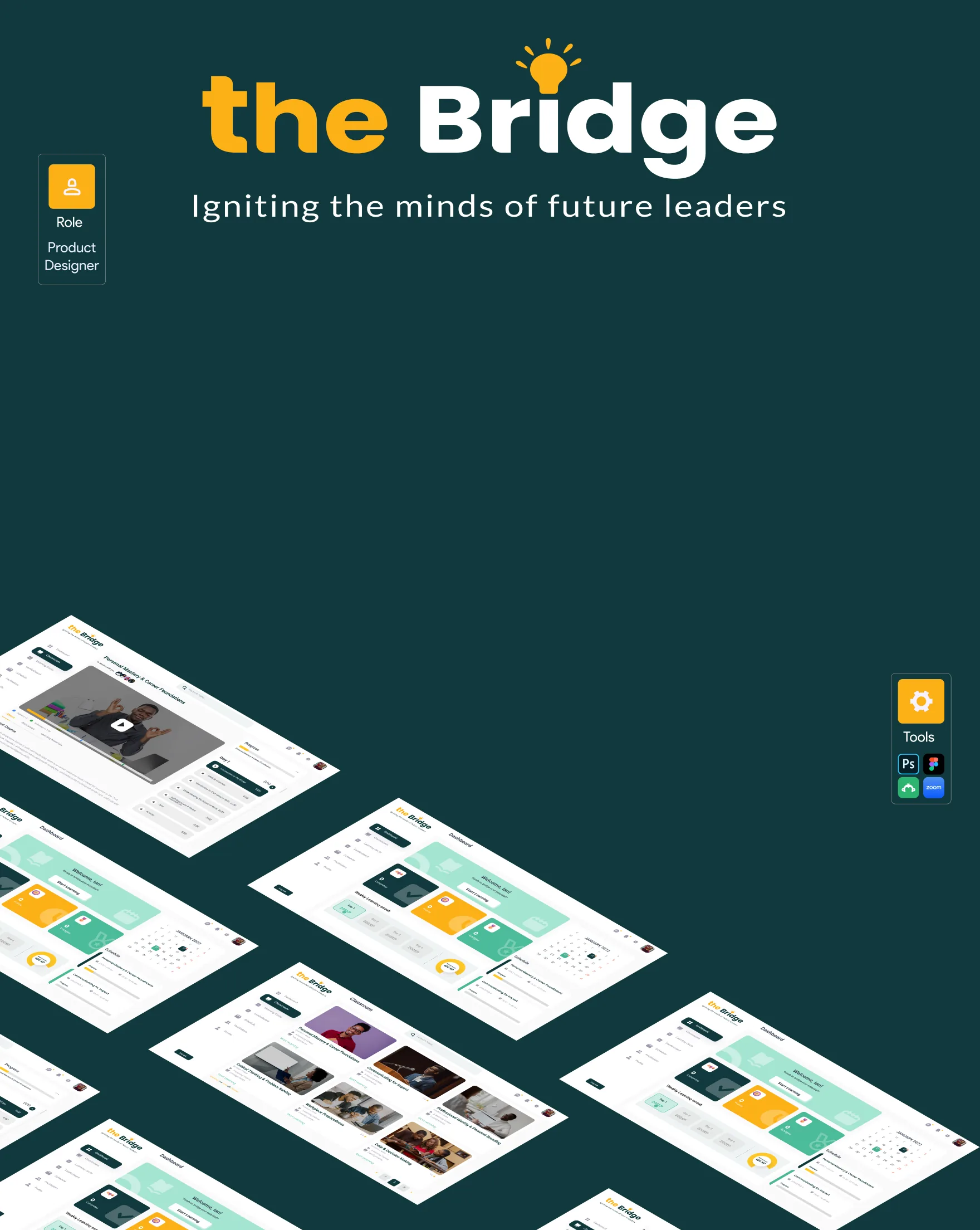
About Project
The Bridge is a career launch program that empowers learners with self-leadership skills and career-readiness tools critical for success in the 21st-century workplace. Learners explore personal growth strategies, understand the evolving job landscape, and cultivate key mindset and emotional intelligence skills, through a dashboard, classroom, learning circles, and facilitator-led sessions.
The problem
Career-readiness programs are often delivered as disconnected content, a video here, a worksheet there, with no sense of progress, community, or momentum for the learner.
The approach
Designed a learning dashboard with streaks, points, and a schedule; a classroom of modules with video lessons and course materials; and a learning circle and leaderboard to bring cohort-based motivation into an otherwise solo experience.
Research
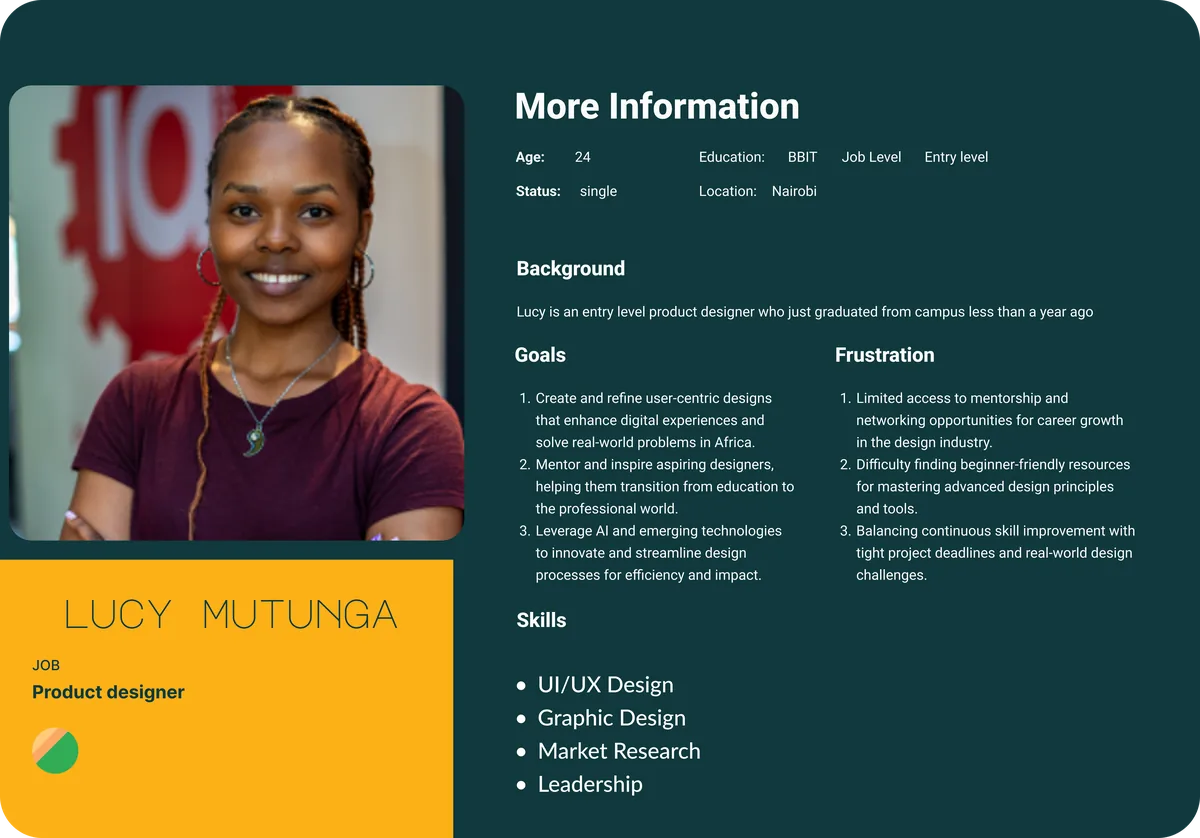
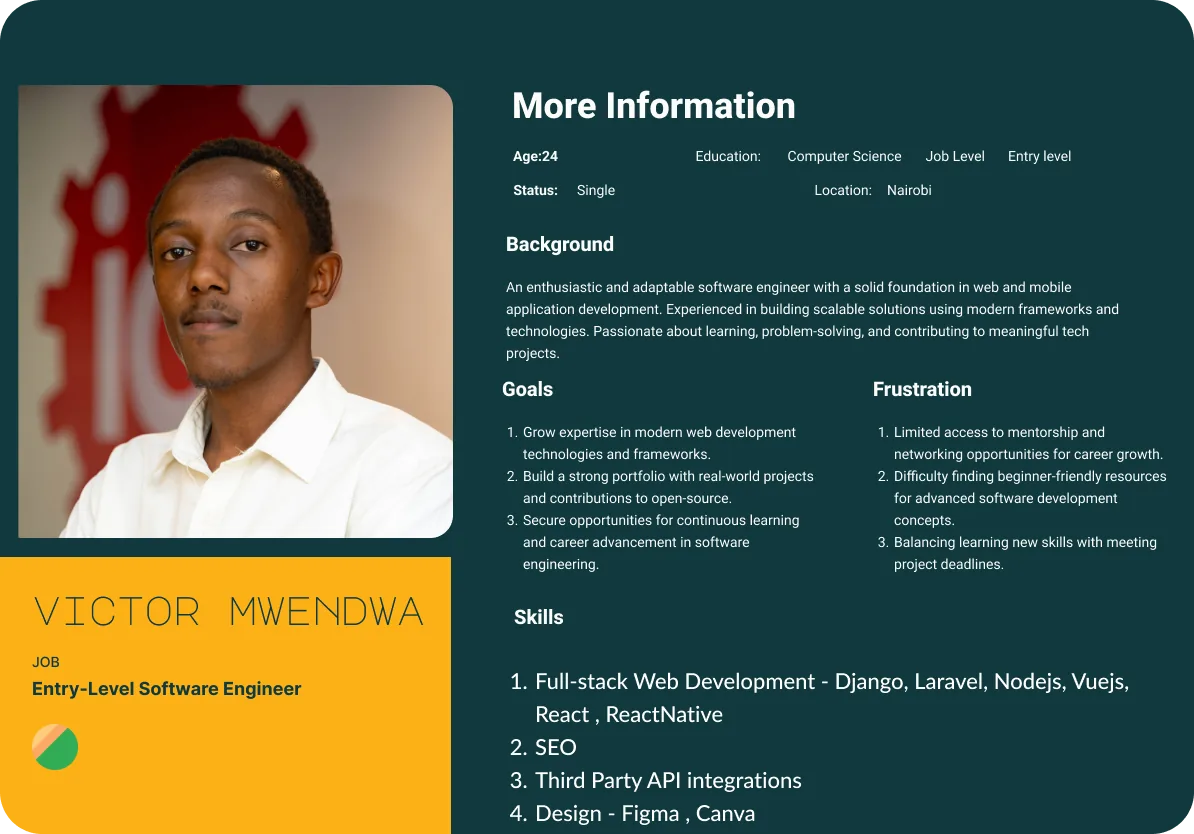
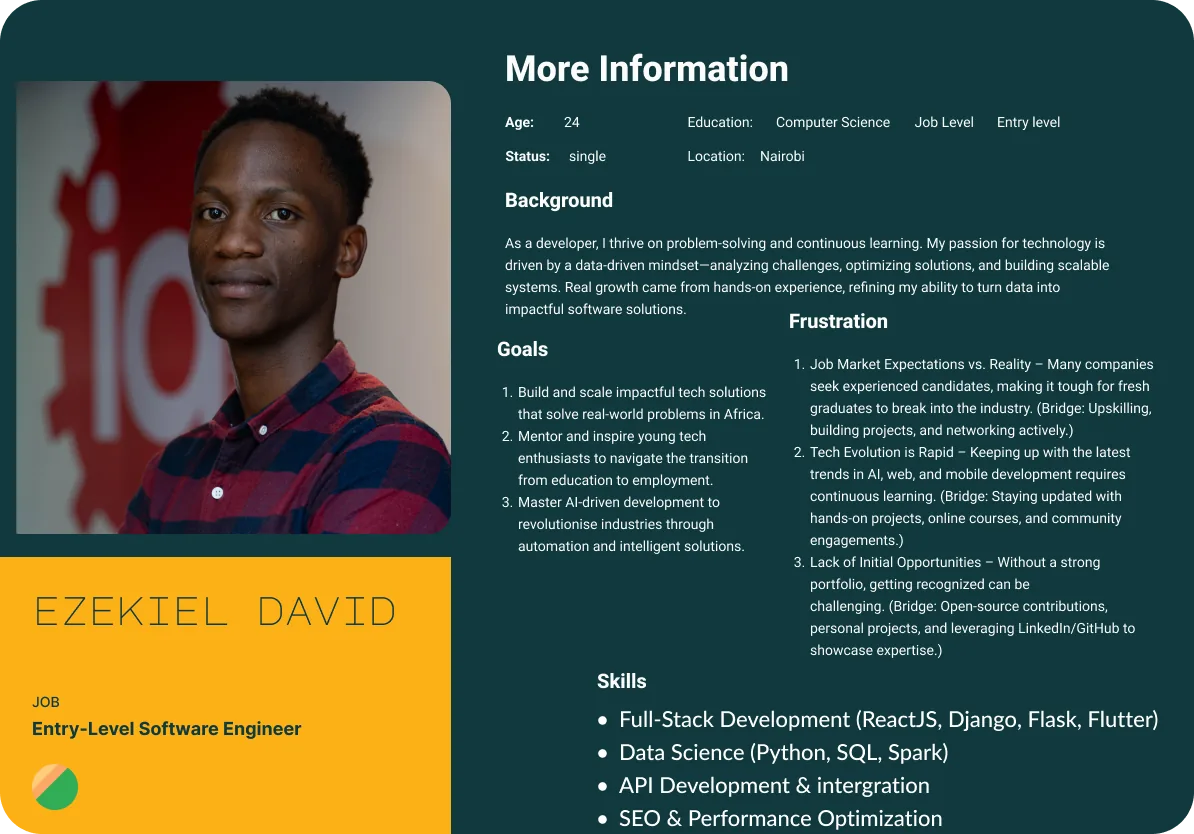
Interviews with young professionals surfaced three recurring personas, entry-level engineers and a junior designer, each navigating the same gap between education and employment.
Design process
I owned this end to end, from the first discovery call to the shipped classroom experience.
01
Discovery
Facilitator interviews and a review of the existing career-readiness curriculum to see where learners dropped off.
02
Information architecture
Mapped dashboard, classroom, learning circle, leaderboard and profile into one coherent navigation.
03
Wireframes
Low-fidelity flows for onboarding, module progress and live sessions to validate structure before styling.
04
Visual & UI design
Applied the Bridge brand, teal, gold, and warm photography, into a full component system in Figma.
05
Testing & handoff
Walked facilitators through the dashboard and classroom, then documented specs for engineering handoff.
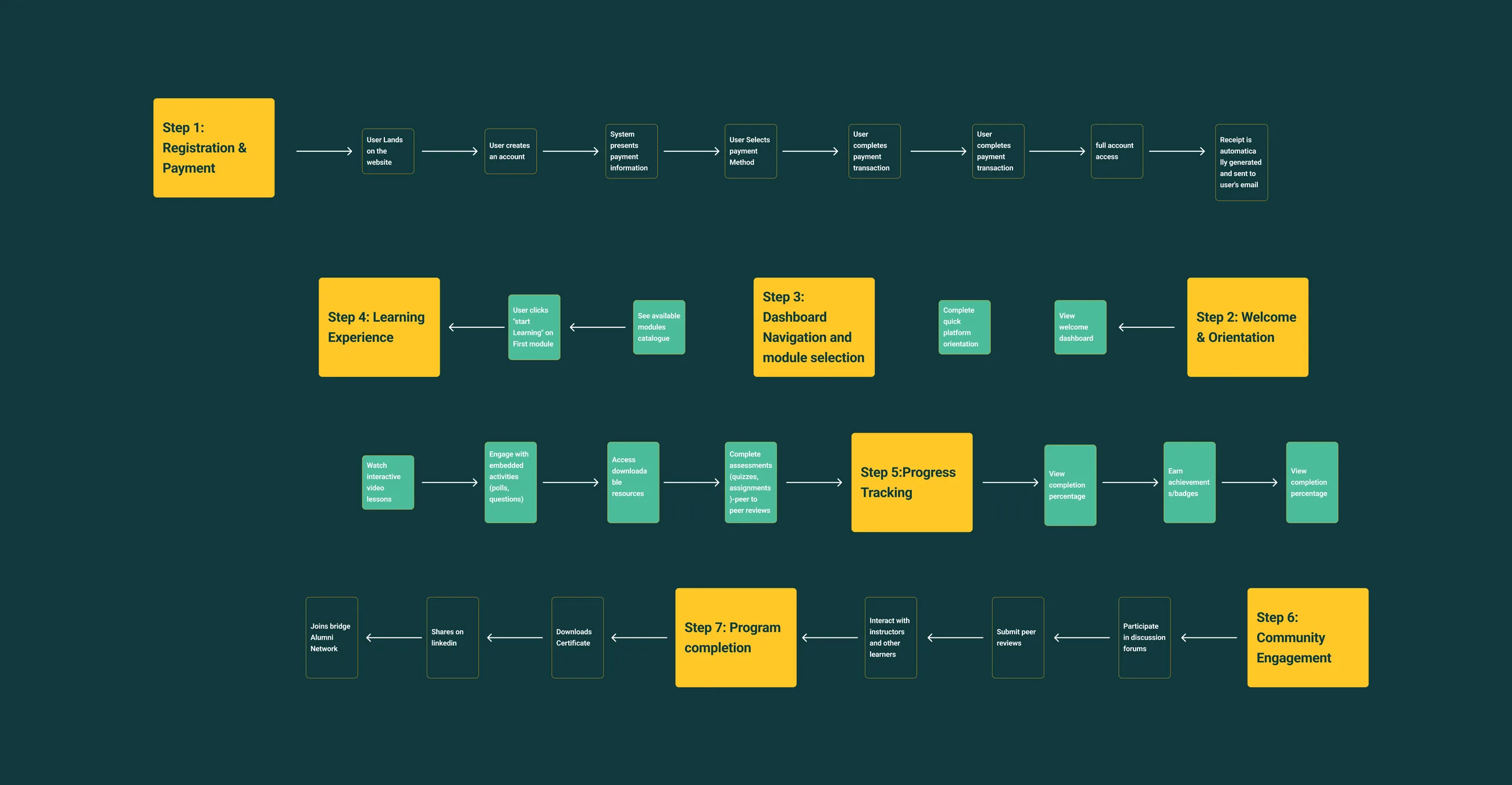
User flow & information architecture, registration through program completion
Onboarding
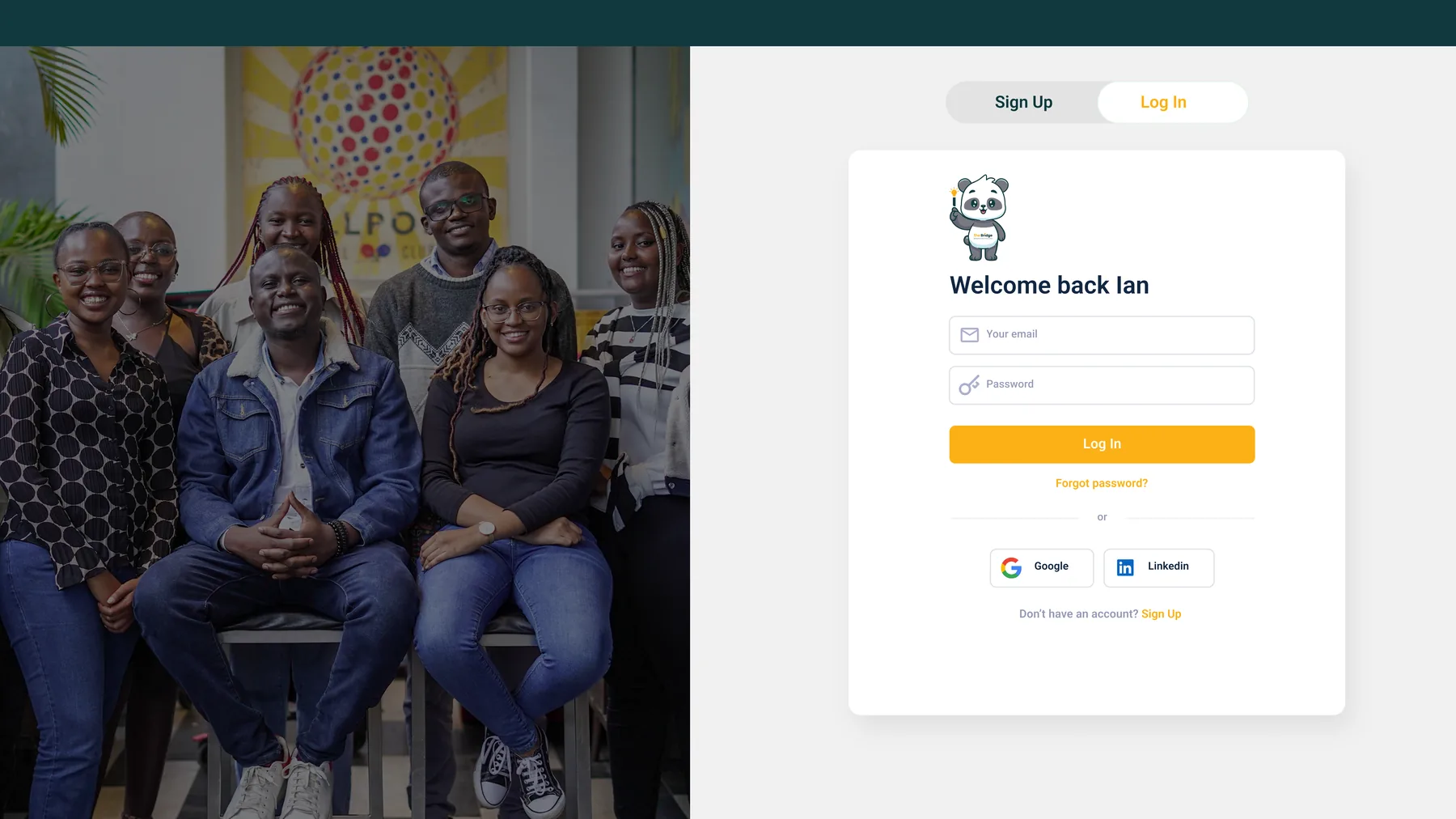
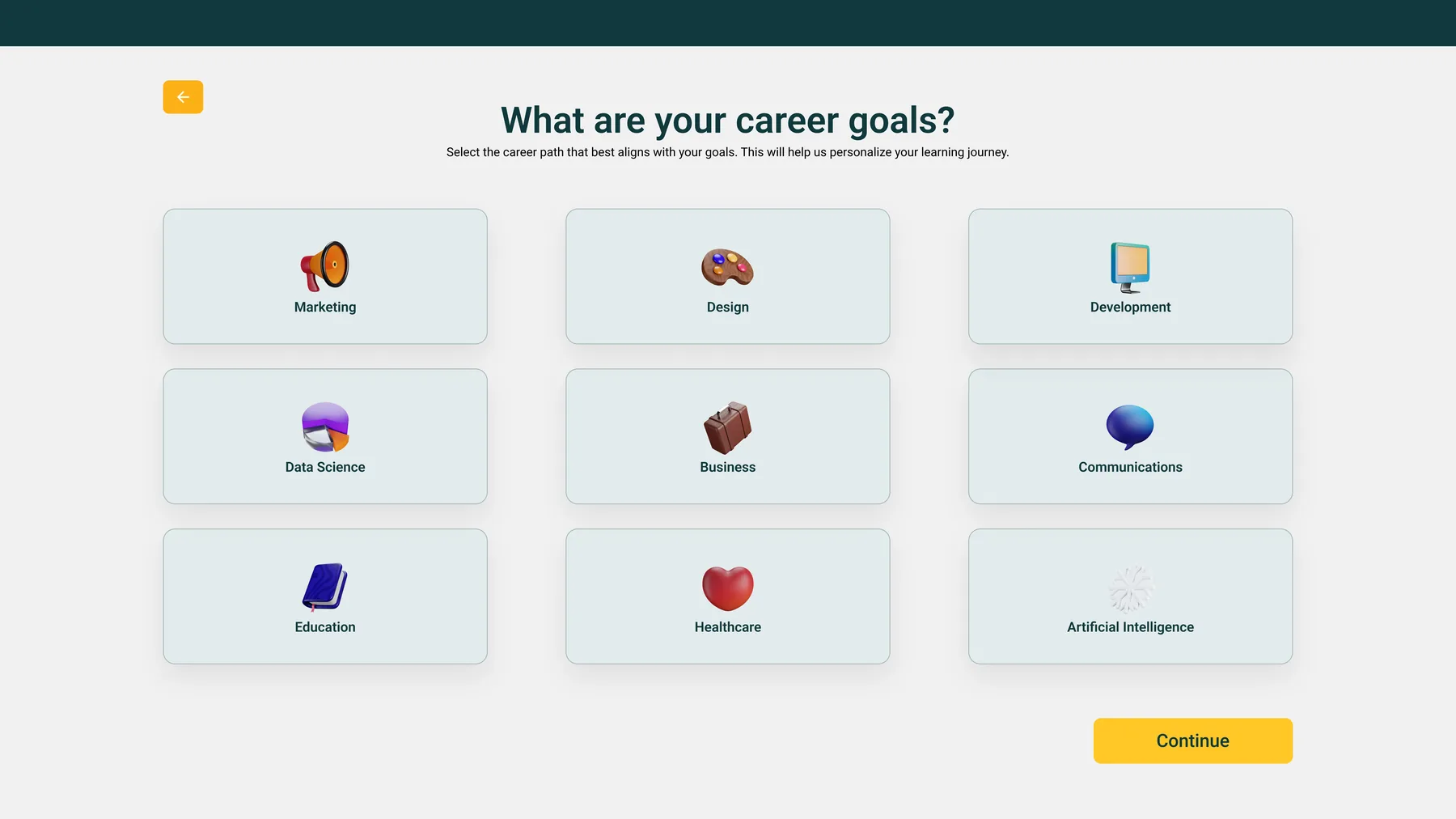
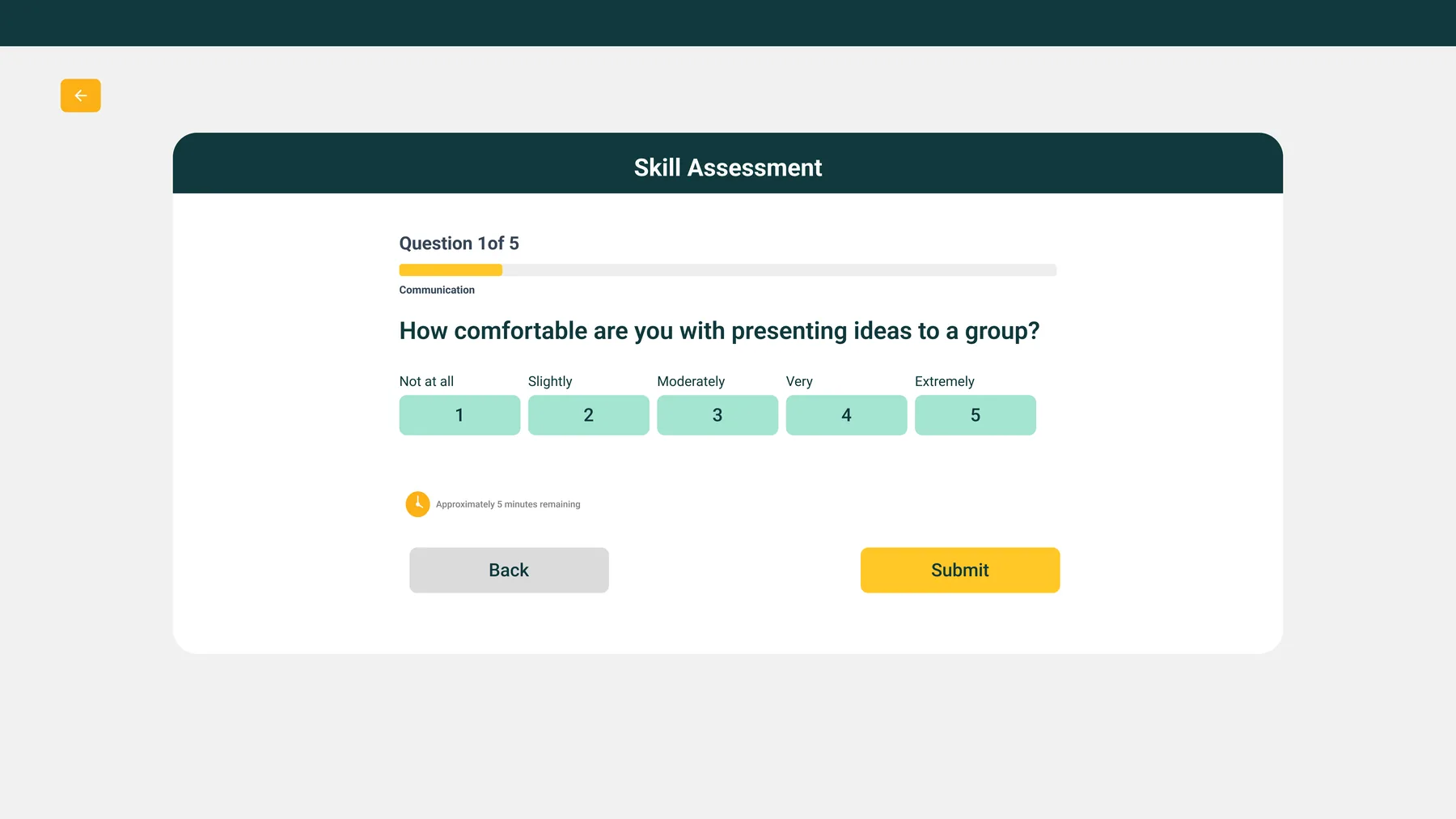
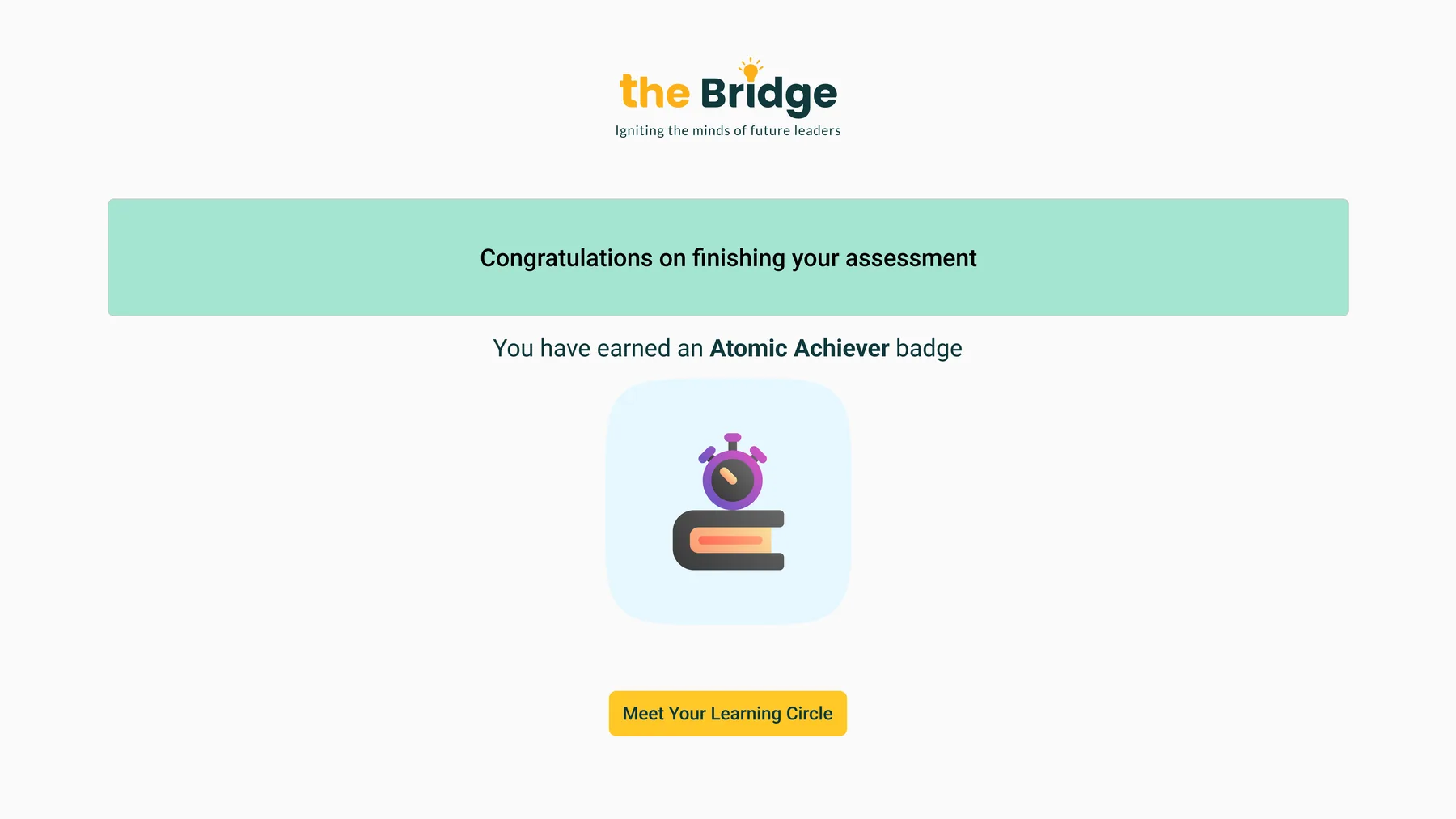
From first login to a personalized starting point, collecting career goals and a skill baseline before a learner ever sees the dashboard.
Log in / sign up
Career goal selection
Skill assessment, self-rating
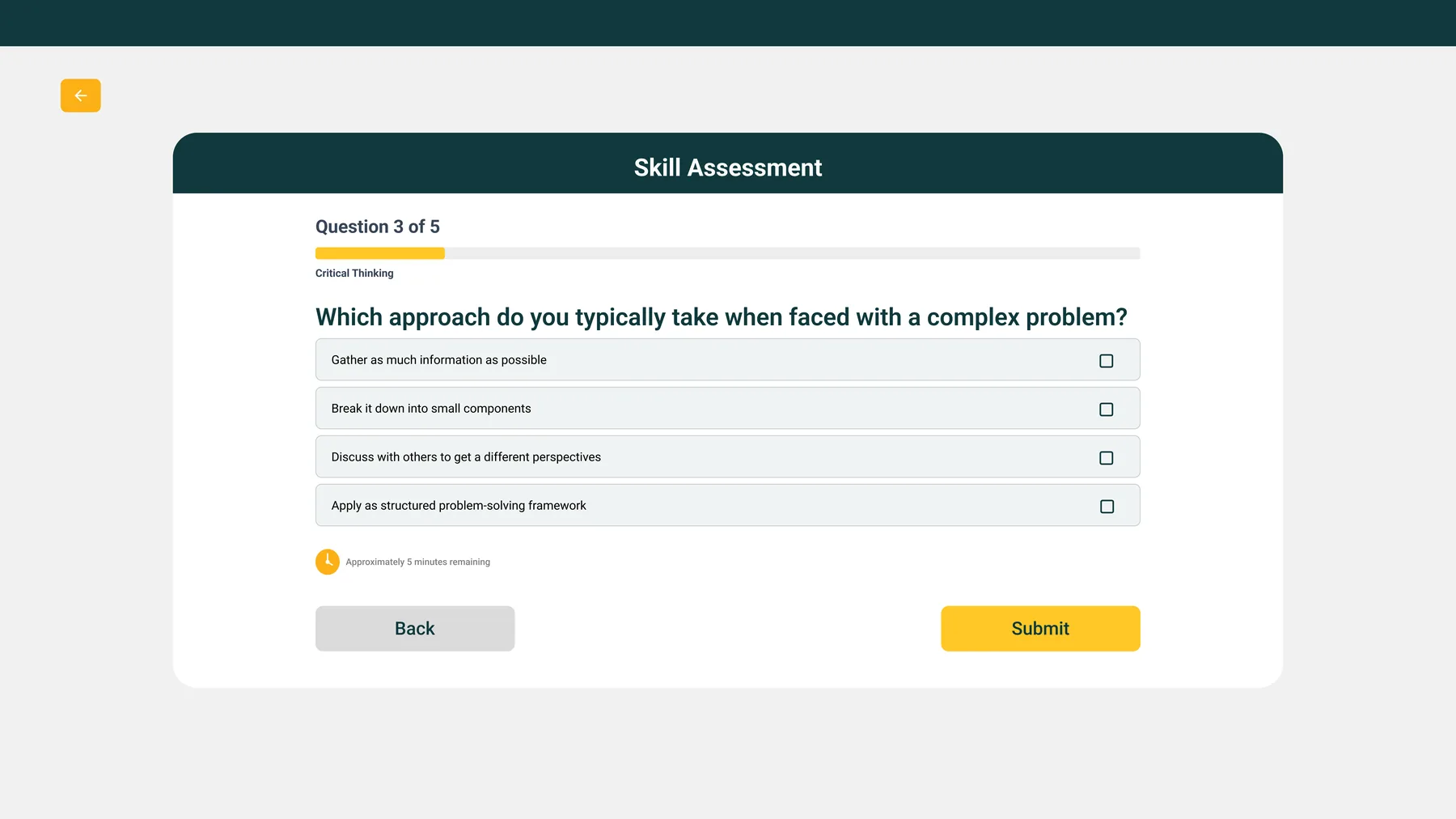
Skill assessment, scenario-based
Completion & first badge earned
The learning experience
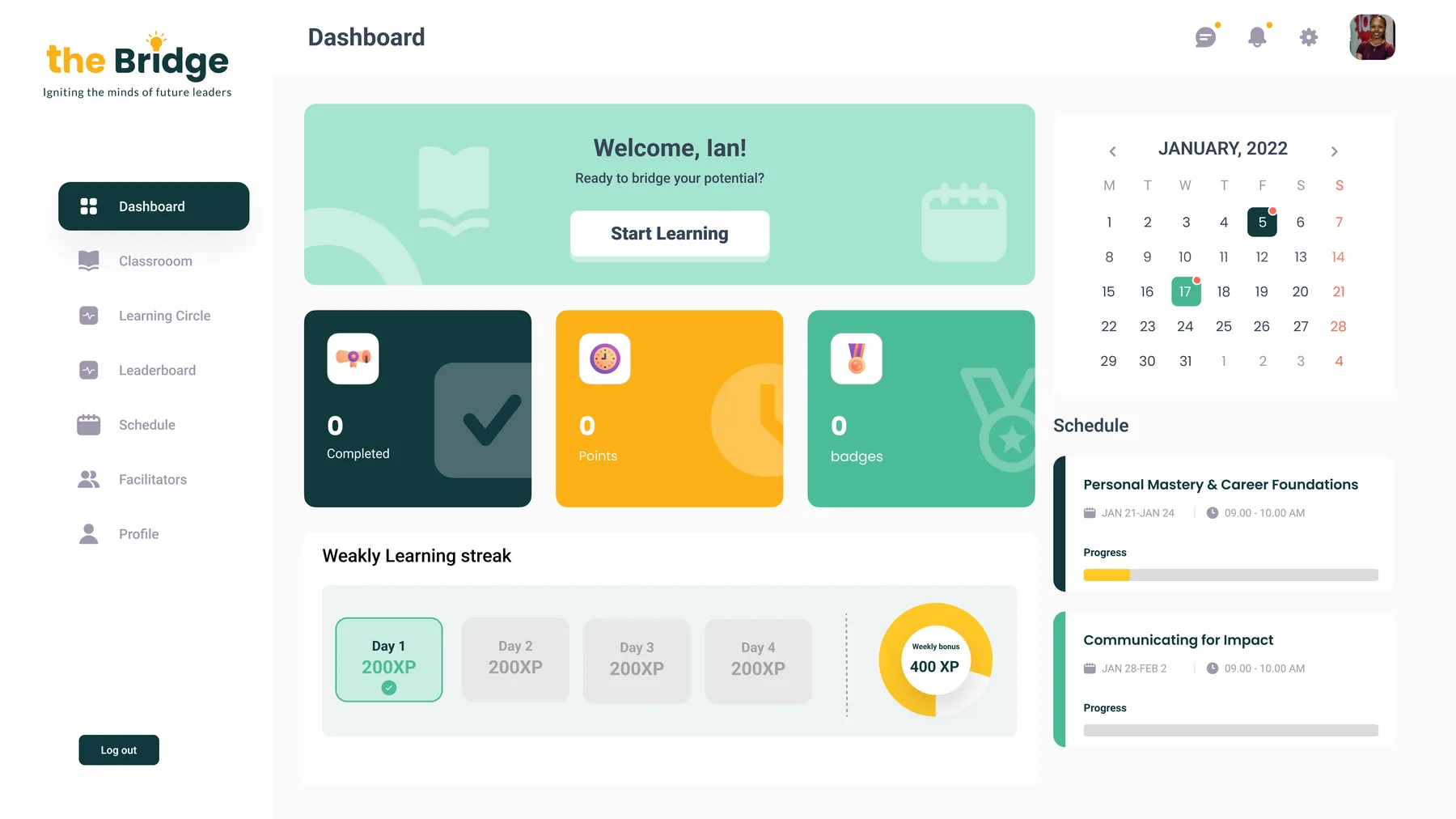
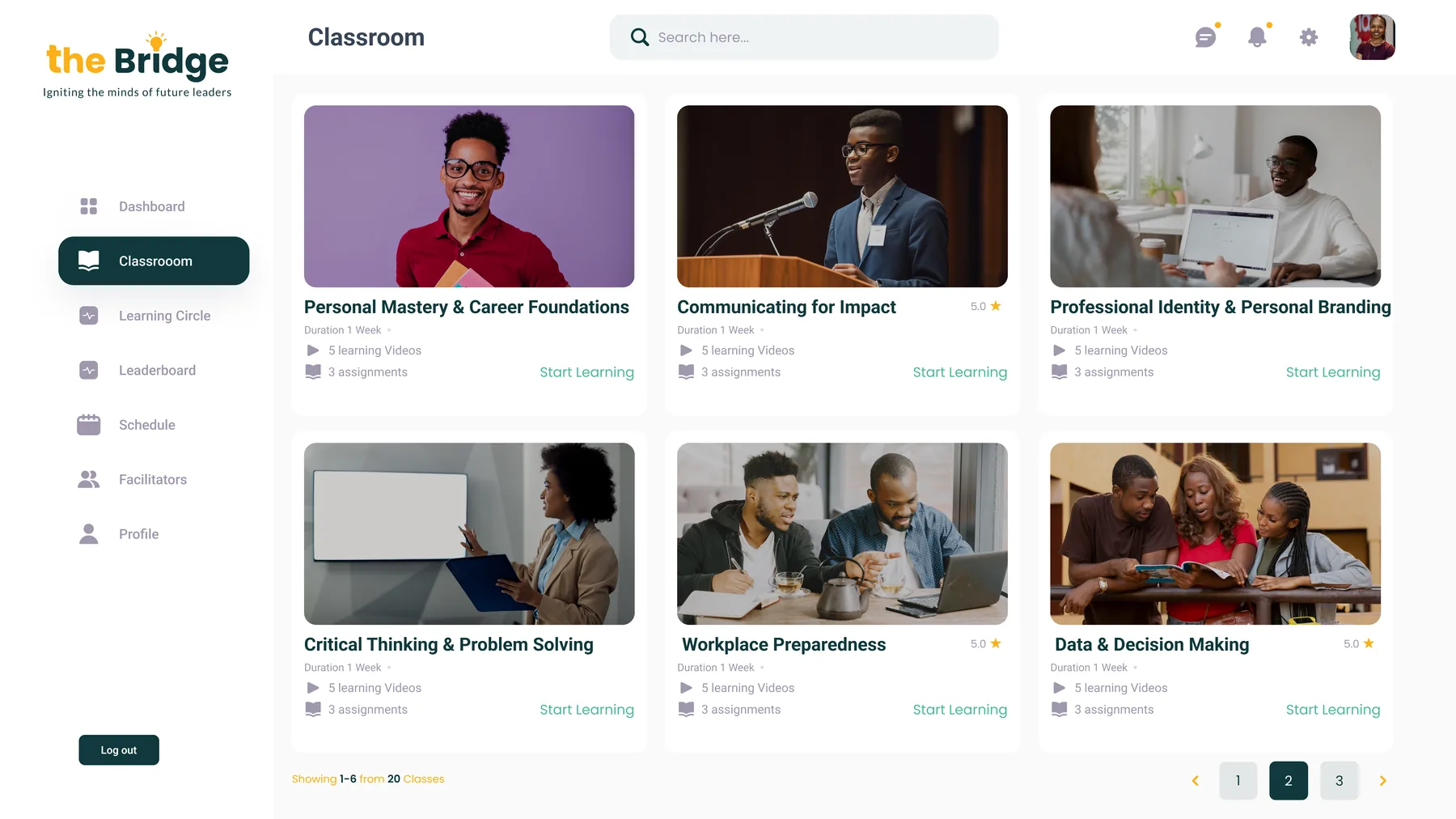
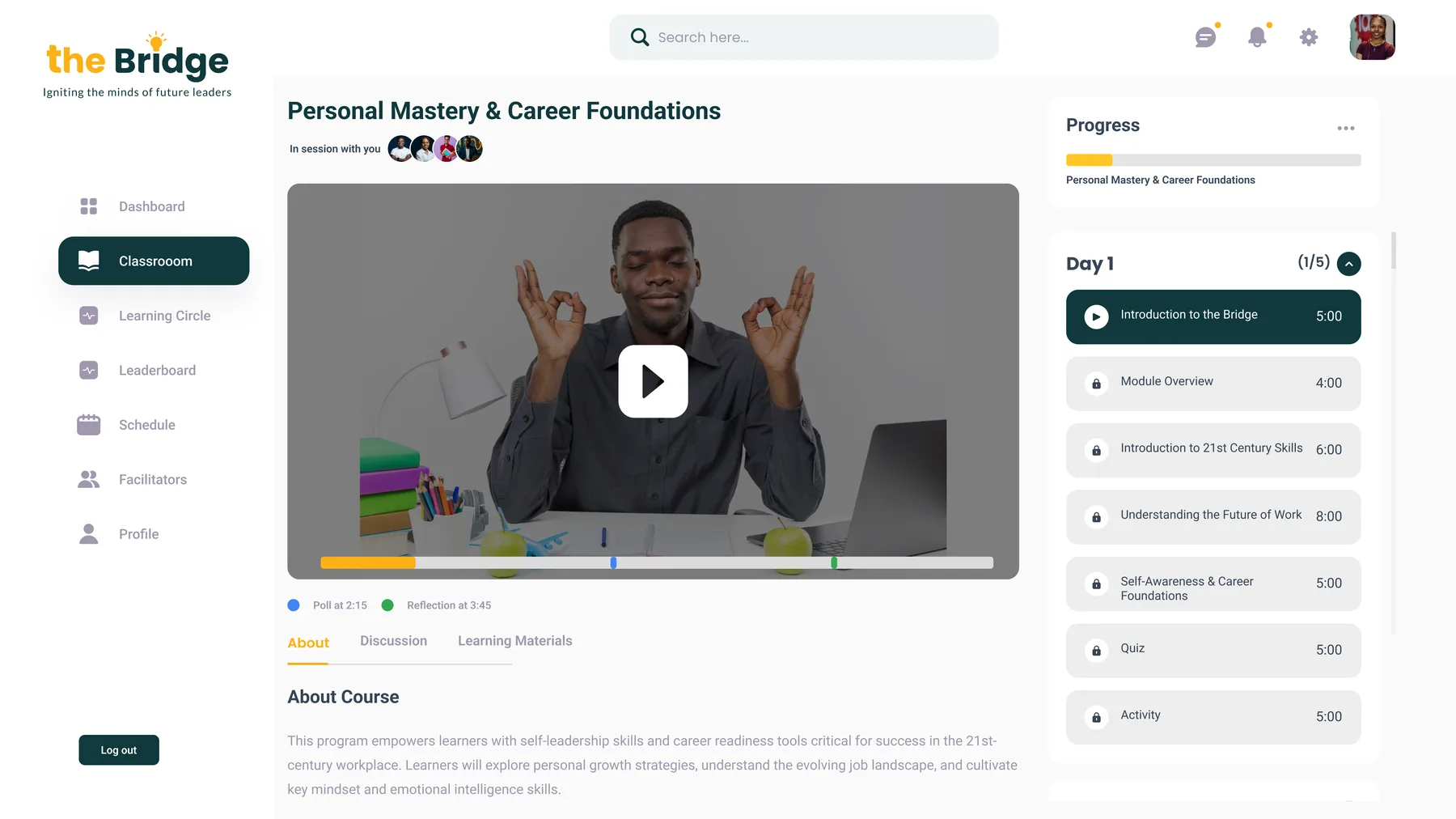
A dashboard that tracks momentum, a classroom to browse modules, and a video interface built for structured, timestamped lessons.
Dashboard, streaks, points, schedule
Classroom, module catalog
Live lesson, video, polls & reflections
Assessment & motivation
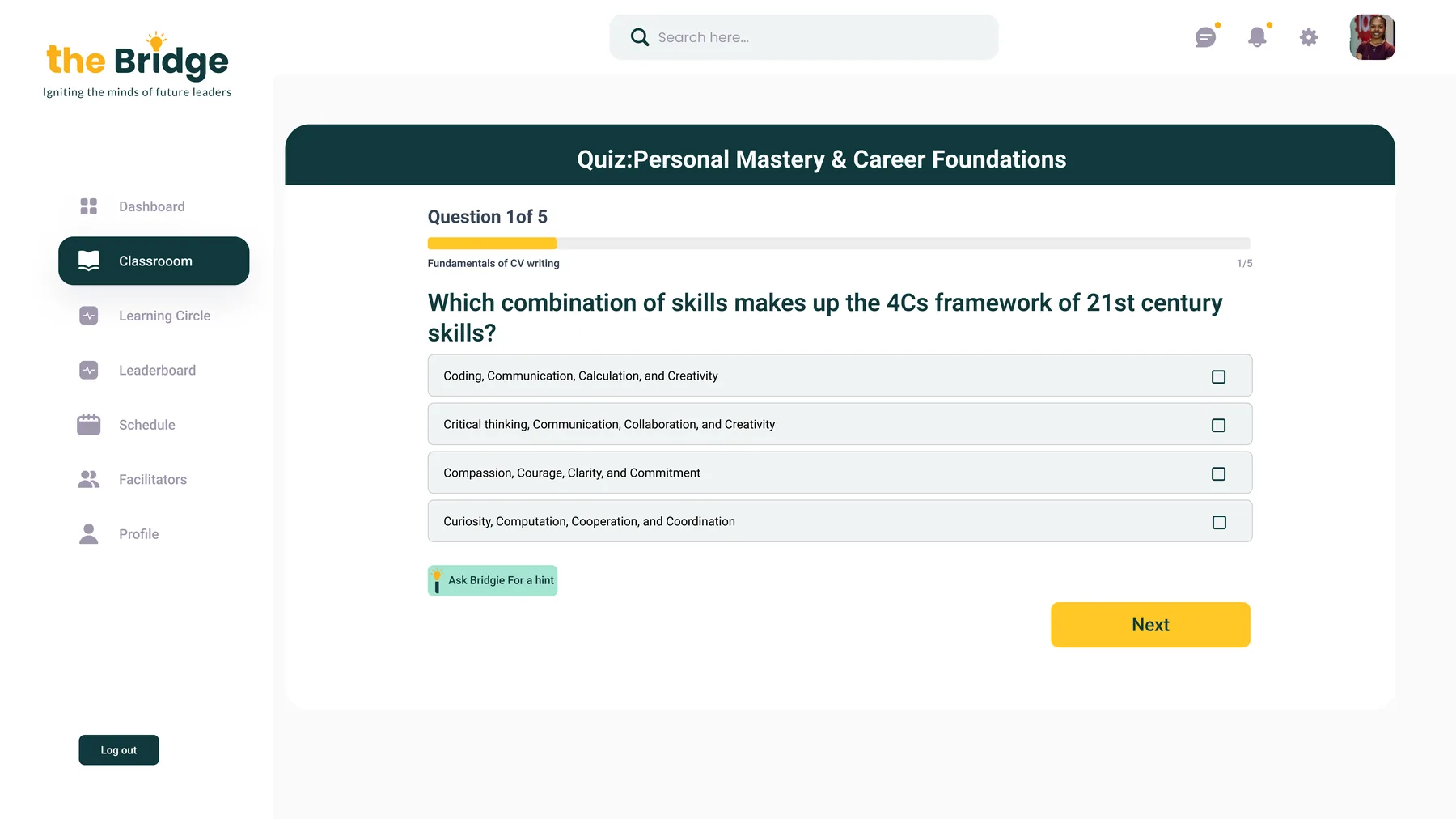
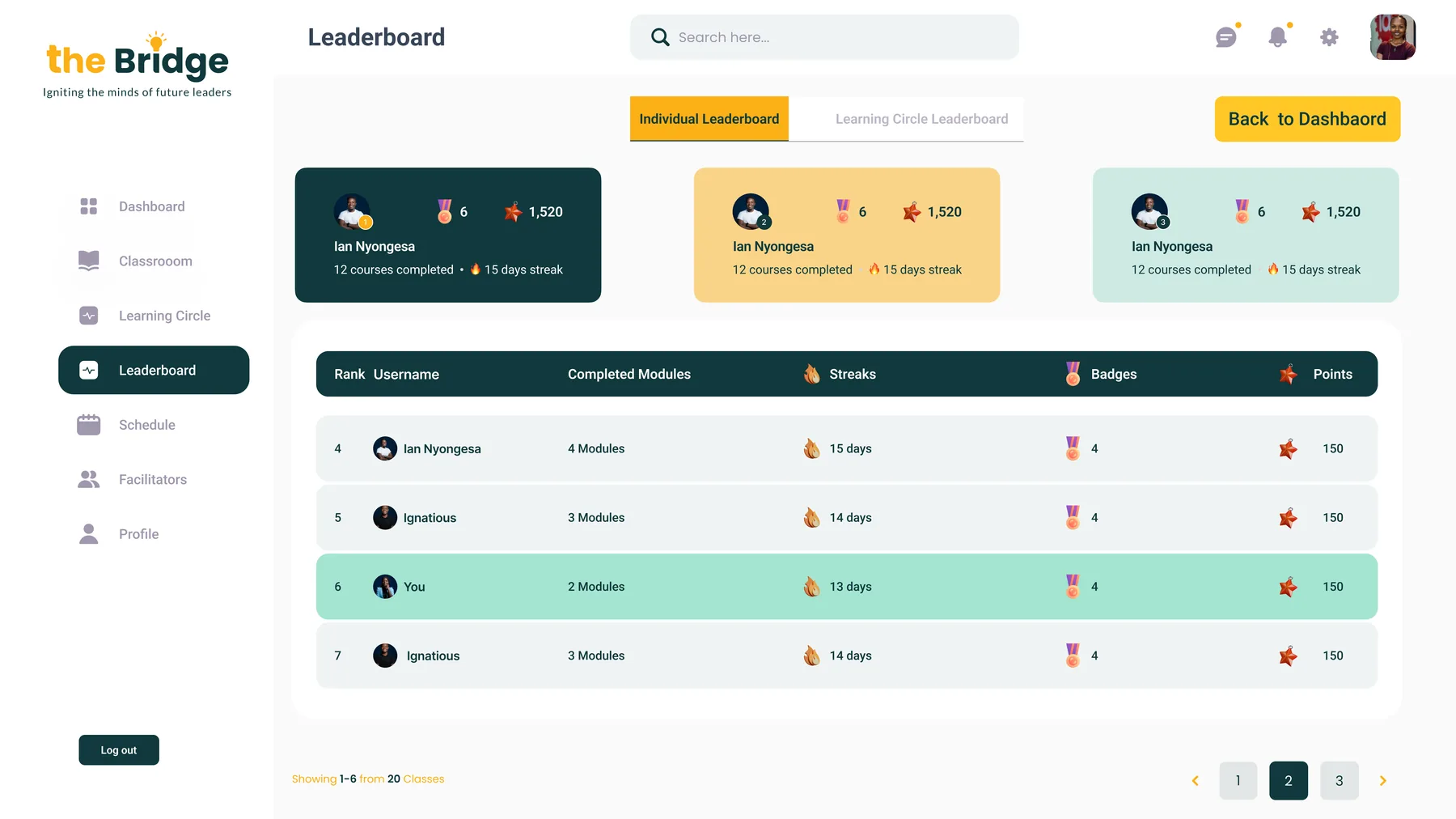
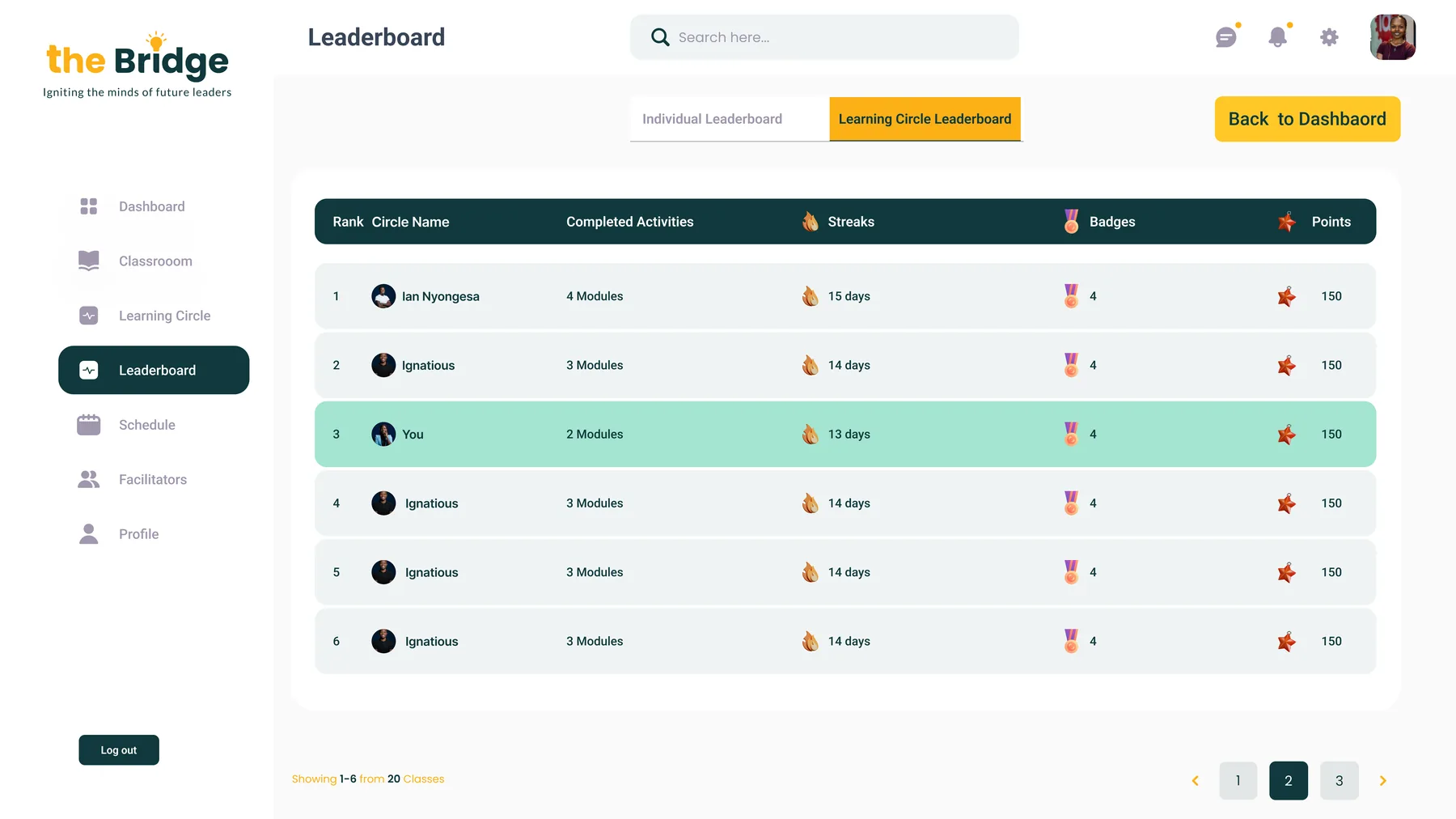
Quizzes reinforce each module, and two leaderboard views, individual and learning circle, turn a solo course into a cohort experience.
Module quiz
Individual leaderboard
Learning circle leaderboard
My contribution
Owned end-to-end UX and UI design for the learner-facing experience.
- Dashboard design: Designed the learner dashboard surfacing progress, sessions and cohort activity.
- Classroom & learning circle: Designed the classroom experience and peer learning circle flows.
- Leaderboard & motivation: Designed leaderboard mechanics to drive engagement across cohorts.
- Facilitator-led sessions: Designed the in-session experience for facilitator-led learning.
Outcome
Turned a scattered set of career-readiness materials into a structured program learners could track, return to, and complete alongside a cohort, not just consume once.
- Completion: A visible dashboard and leaderboard gave learners a reason to return session after session, rather than dropping off mid-program.
- Cohort experience: The learning circle turned an individual course into a shared, social experience.
- Facilitator support: The session experience gave facilitators a clear structure to run live sessions consistently across cohorts.